Security Manager walkthrough
Security Manager is the administrator app at /auth/operator/ for a portal
mounted at /auth. It ships in caddy-security v1.6.2 / go-authcrunch v1.5.0.
It requires both enable admin api in that portal and the exact reserved
role authp/admin. A role named admin does not qualify.
Use the local application setup, sign in as Alice, and choose Security Manager. Bob should have no link and should be denied when opening the URL directly. In production, grant administration only through your trusted provisioning process. Menu visibility does not replace server authorization.
1. Inspect the overview and identity stores
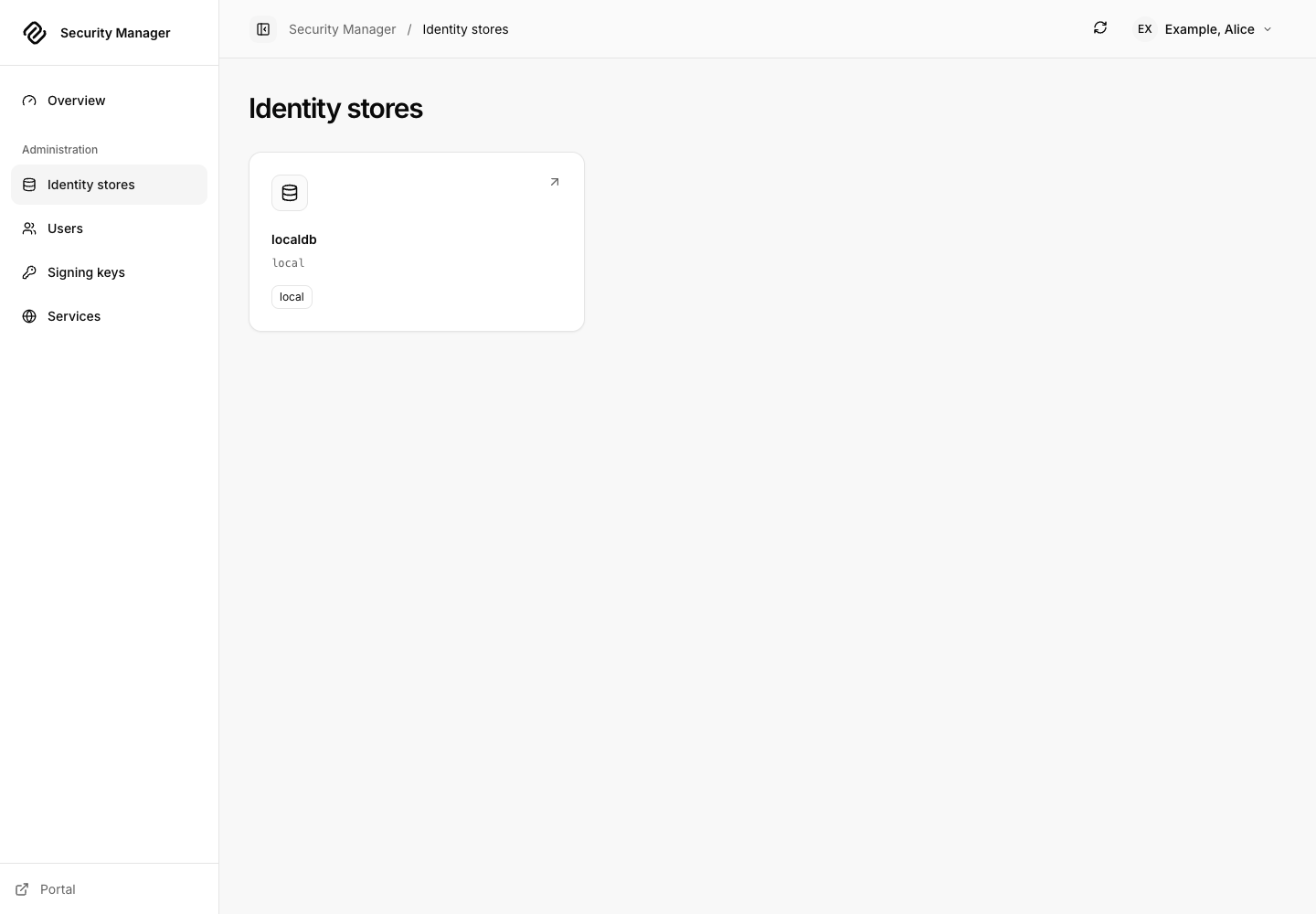
The overview summarizes server metadata and configured identity services. Open Identity stores, choose a realm, and inspect its backend, policy and persistence information. These pages describe the runtime actually answering the Admin API, which is useful when multiple portals or stores are configured.
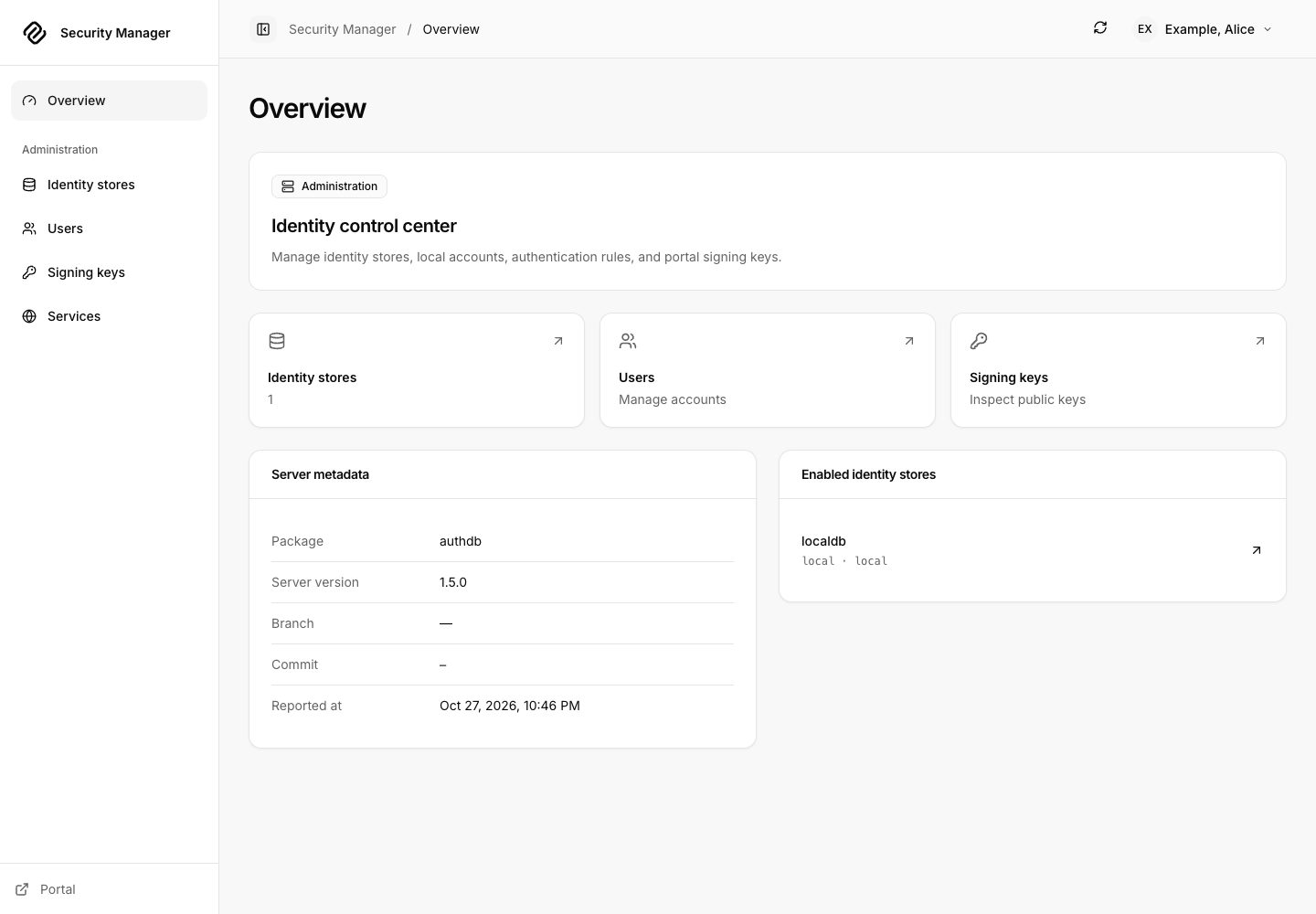
Reload realm requests a reload of the selected identity store after confirmation. It is a store operation, not a Caddy configuration reload. For backend configuration changes, edit the owning server configuration and use the supported deployment procedure. Check the returned result before assuming all stores were refreshed.
Identity-store inventory
2. Create a disposable user
- Open Users and select the intended realm.
- Choose Create user. Enter a synthetic username such as
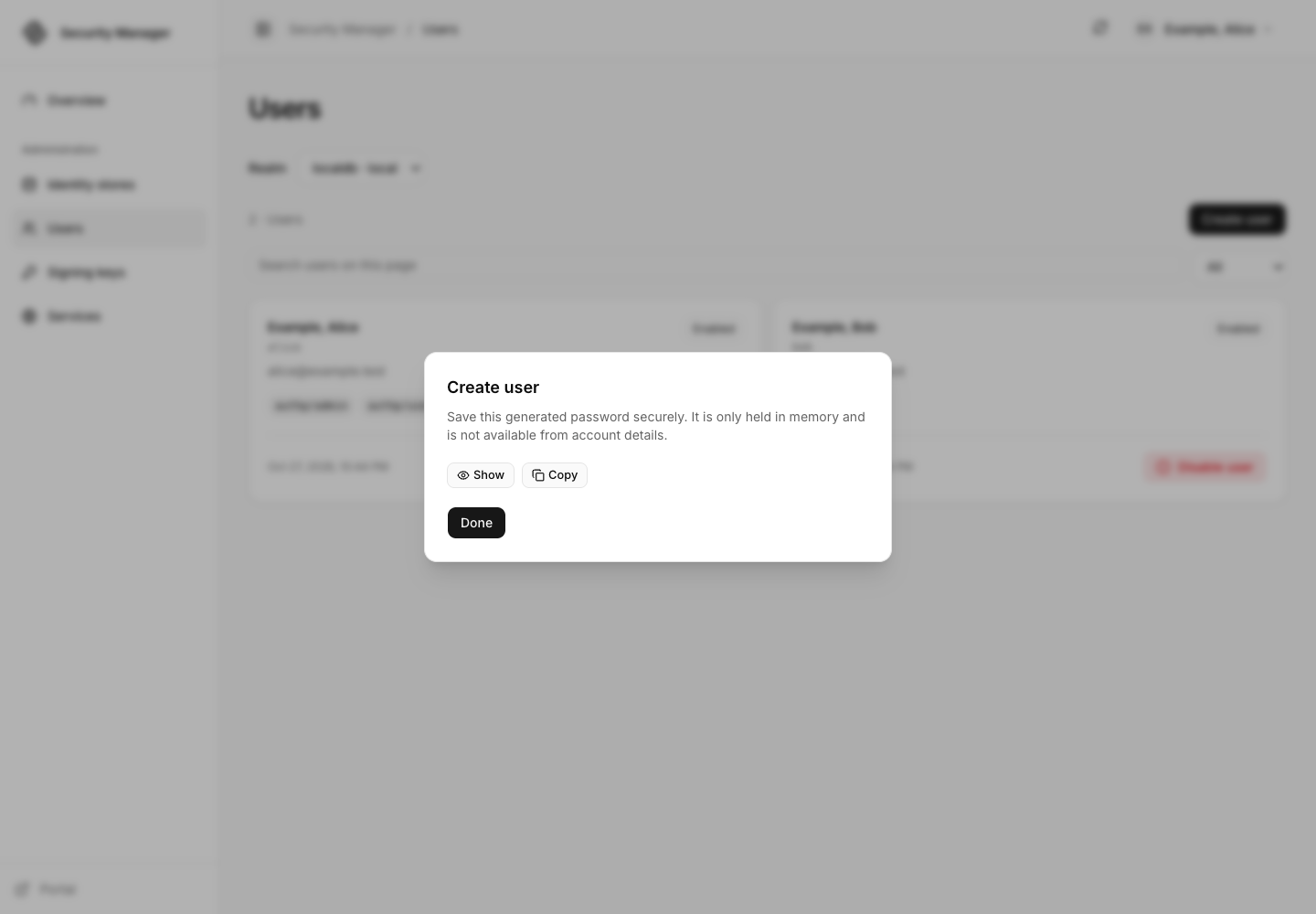
DemoReader, emailreader@example.test, and nameDemo Reader. - Submit Create and wait for the success result. Handle the generated password privately using the result's explicit controls; do not place it in a ticket or screenshot.
- Choose Done, find the new user, and open the account detail page.
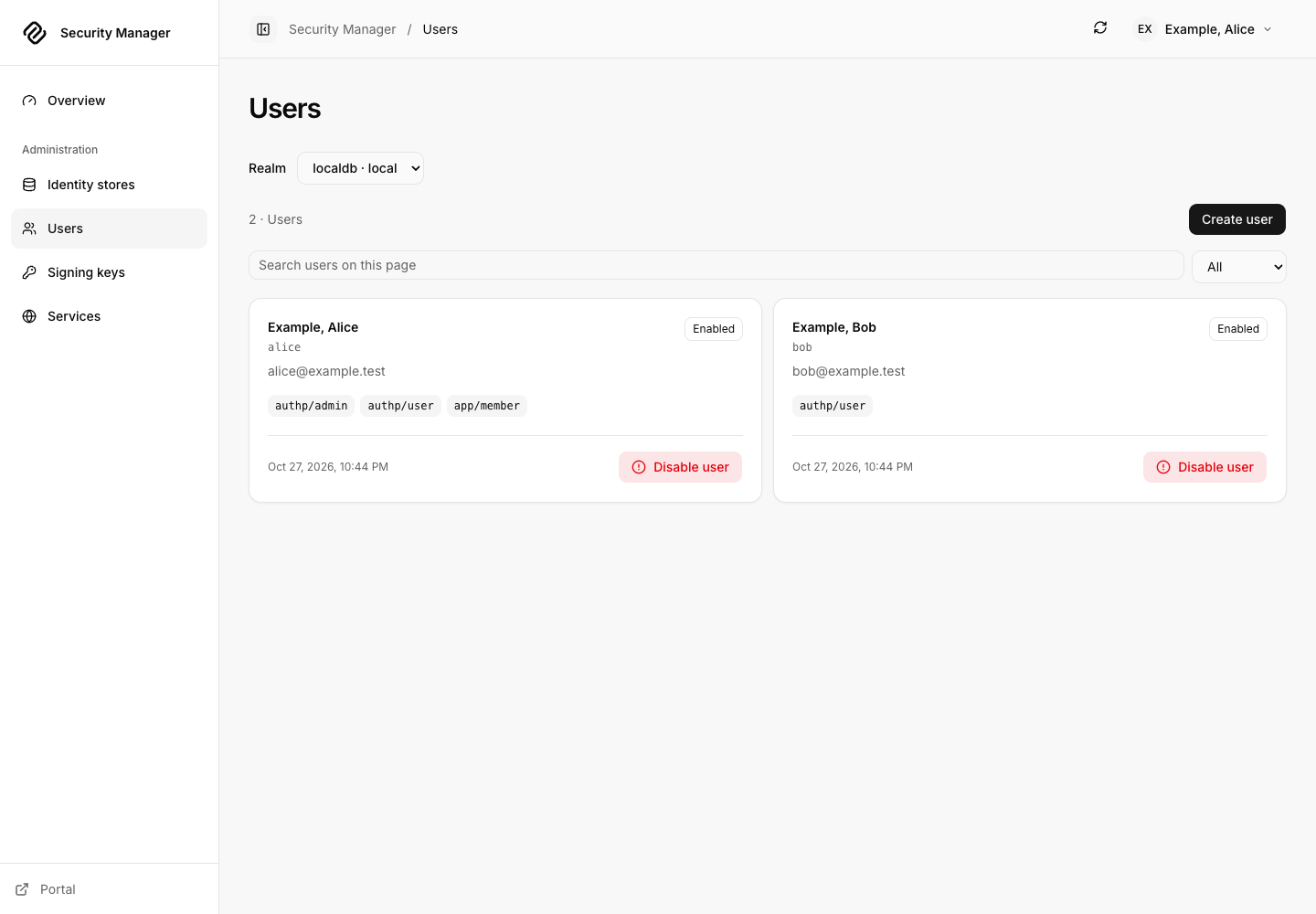
Read-only or unsupported backends may expose inspection without the same mutation controls. Follow the explanation supplied for that store. The app does not turn an upstream provider into a writable local user database.
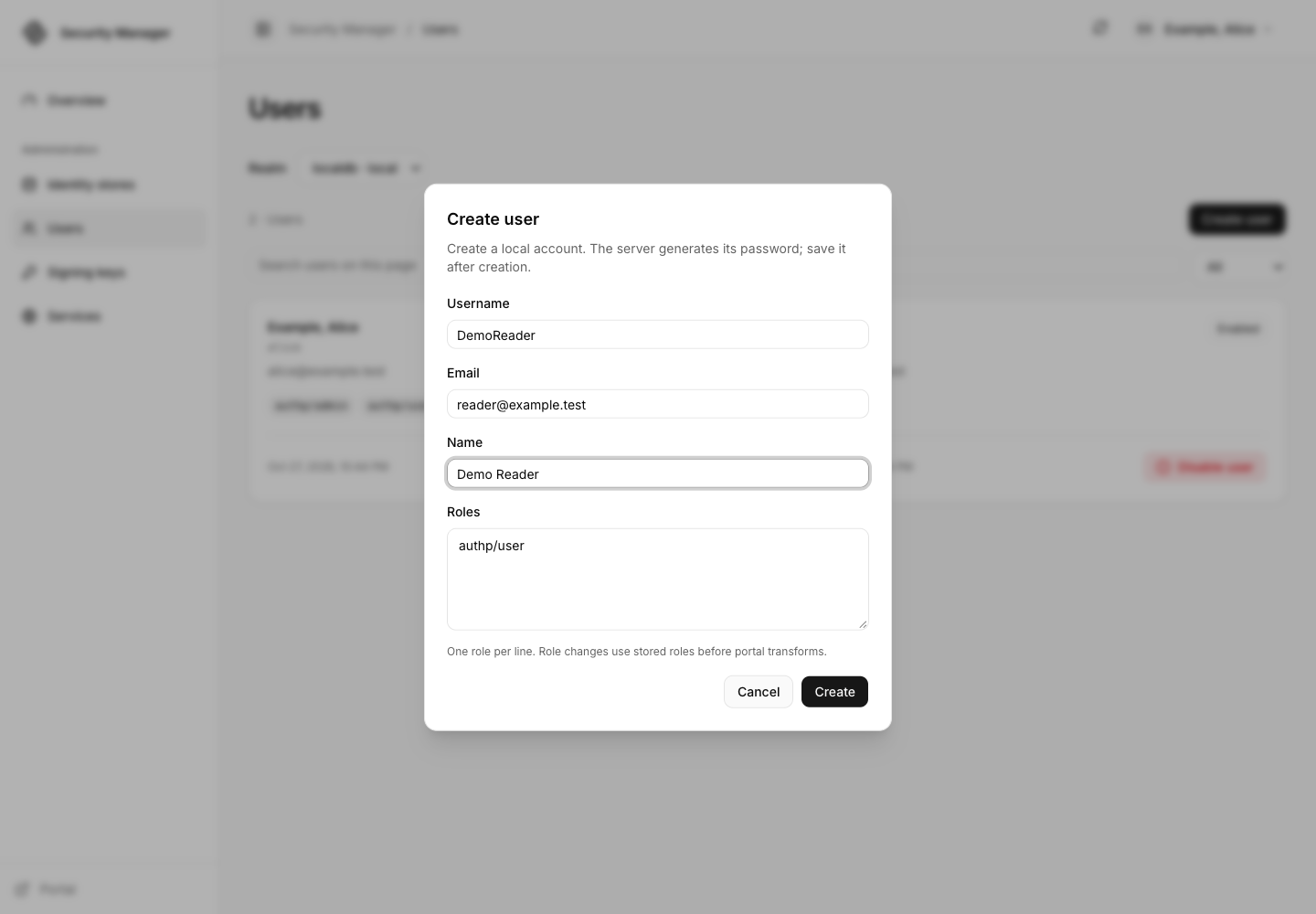
Create the disposable account and review the protected result
3. Edit roles and authentication rules
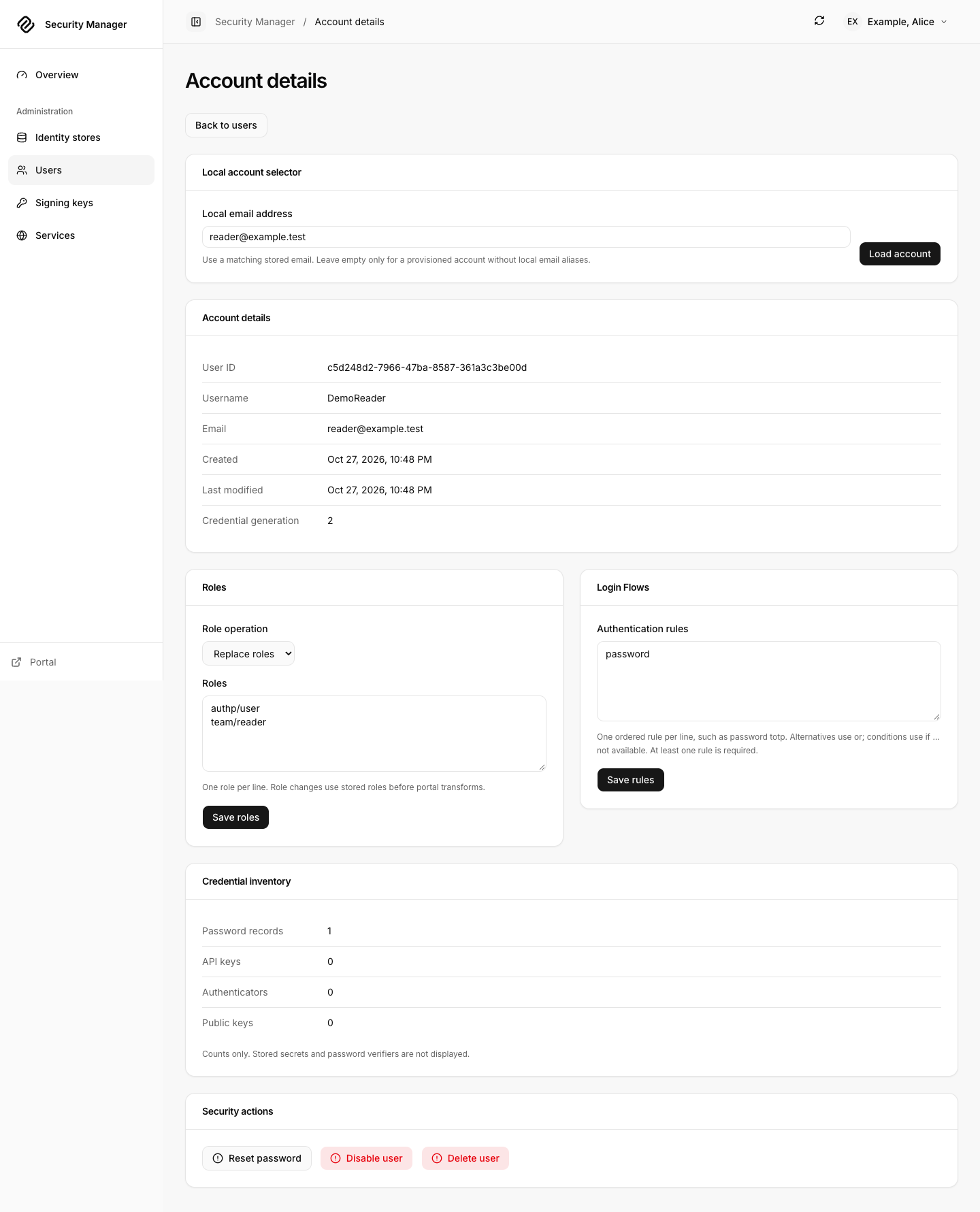
On the disposable account, review the roles editor's replace or add mode. Replacing submits the intended complete set; adding preserves existing roles. For a basic reader, use one role per line:
authp/user
team/reader
Choose Save roles and verify the account's returned roles. Give ordinary
users only the required roles; authp/admin grants access to management APIs.
Role changes can invalidate existing login evidence, so test with a fresh login.
The Authentication rules editor uses the server's challenge-rule grammar.
For the local exercise, password is a simple rule to inspect and save on a
disposable account. Review the realm/portal policy and available factors before
requiring MFA. Use Save rules, then verify the stored result. See
authentication challenges for rule
ordering and factor behavior.
4. Reset, disable and remove the practice account
Reset password asks the server for a replacement credential. Review the confirmation, retrieve the generated result privately, and use Clear password when finished handling it. Do not assume the account's old password still works.
Use Disable user to block the account, verify its returned state, then Enable user if you are practicing the reversible flow. Delete user requires a separate confirmation and removes the account. Delete only your disposable practice user. Recreating a username produces a new identity; it does not restore that account's File Vault ownership.
After a timeout or uncertain mutation response, refresh and inspect the account before deciding whether another submission is needed. A retry is not proof that the original operation failed. Detailed operations and response contracts are documented in the Server API.
5. Review signing keys and services
Signing keys offers public key sources for the portal and OpenID Connect. The local example uses a symmetric signing key, so its public-key source has no asymmetric JWK to display. Its OIDC issuer is also unconfigured, and Services shows that discovery failure. These are expected states in this local example. An unavailable OIDC source can reflect an unconfigured issuer; it is separate from the portal's public key set. Inspect the selected source before using it to diagnose token verification.
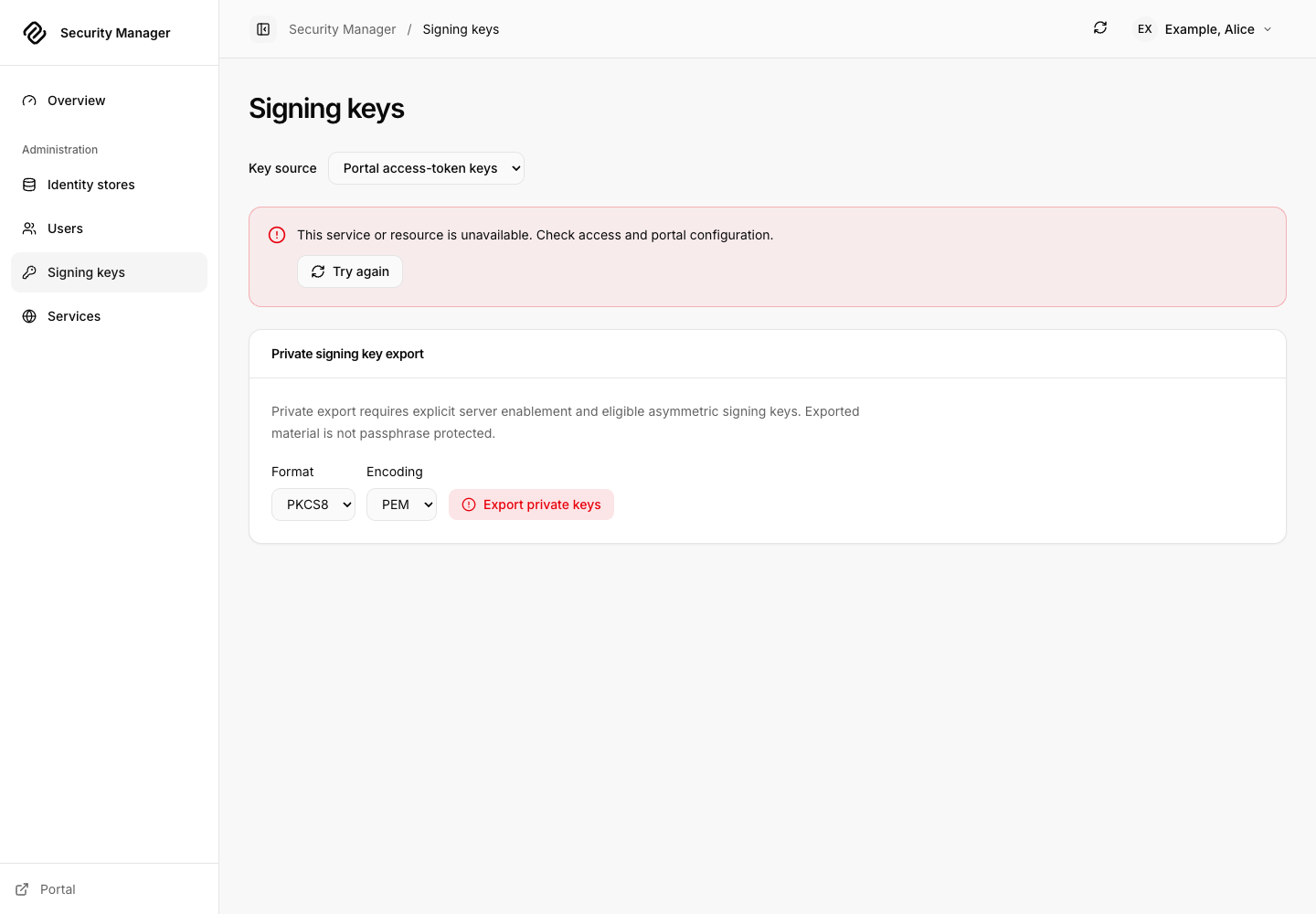
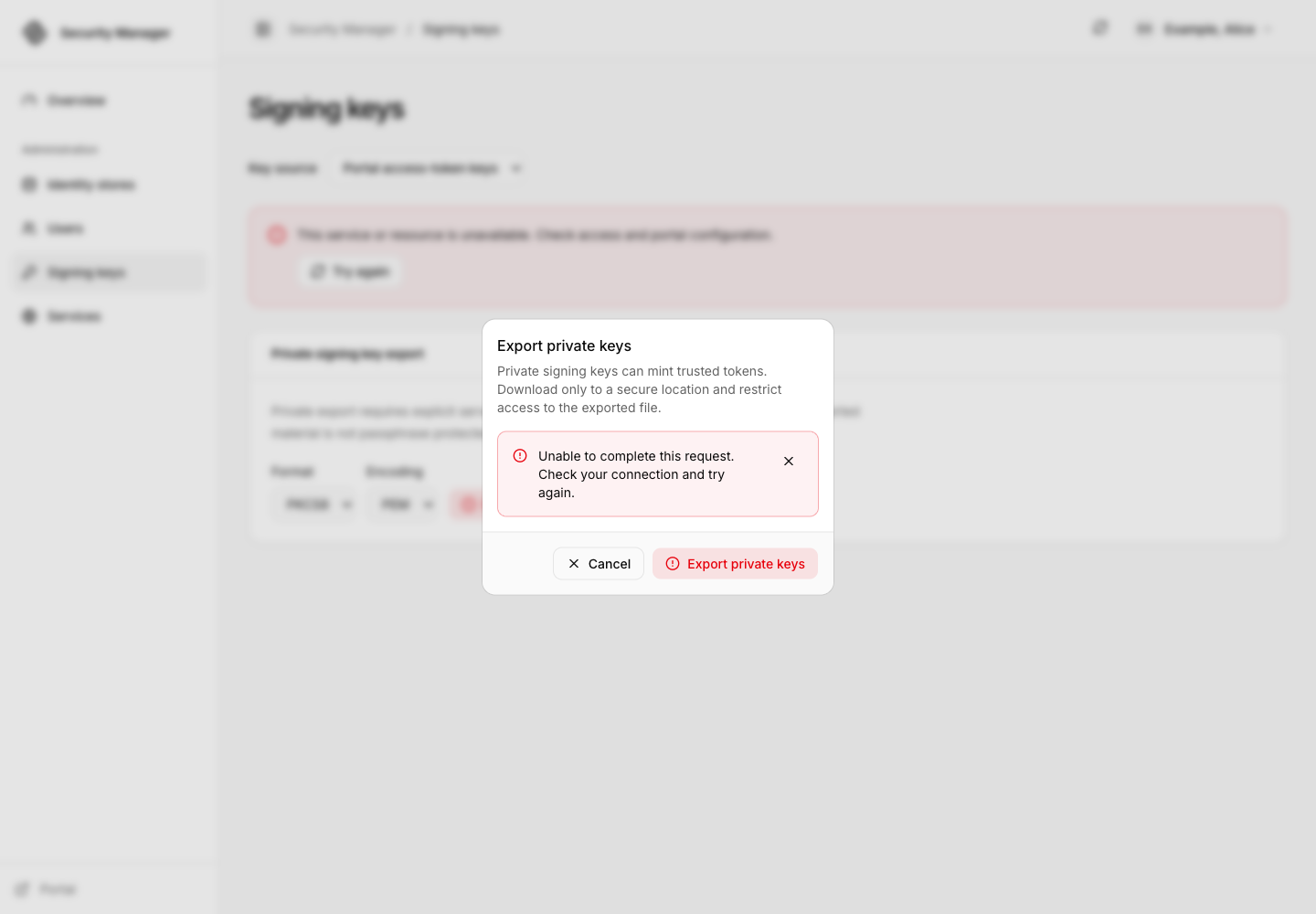
Export private keys is a sensitive, confirmed operation. Even an
administrator receives a denial unless the server independently enables
enable admin api private key export. The local setup intentionally leaves
that opt-in absent. The presence of the button does not mean export is enabled;
see private export
for the server boundary and supported formats.
Export denied without the separate server opt-in
Services presents available integration and discovery information. Runtime configuration remains managed in Caddy; this page is not a configuration editor. Use Diagnostics in the avatar menu for the app/browser and composed server information, and Portal to switch applications.
Service information in the released app
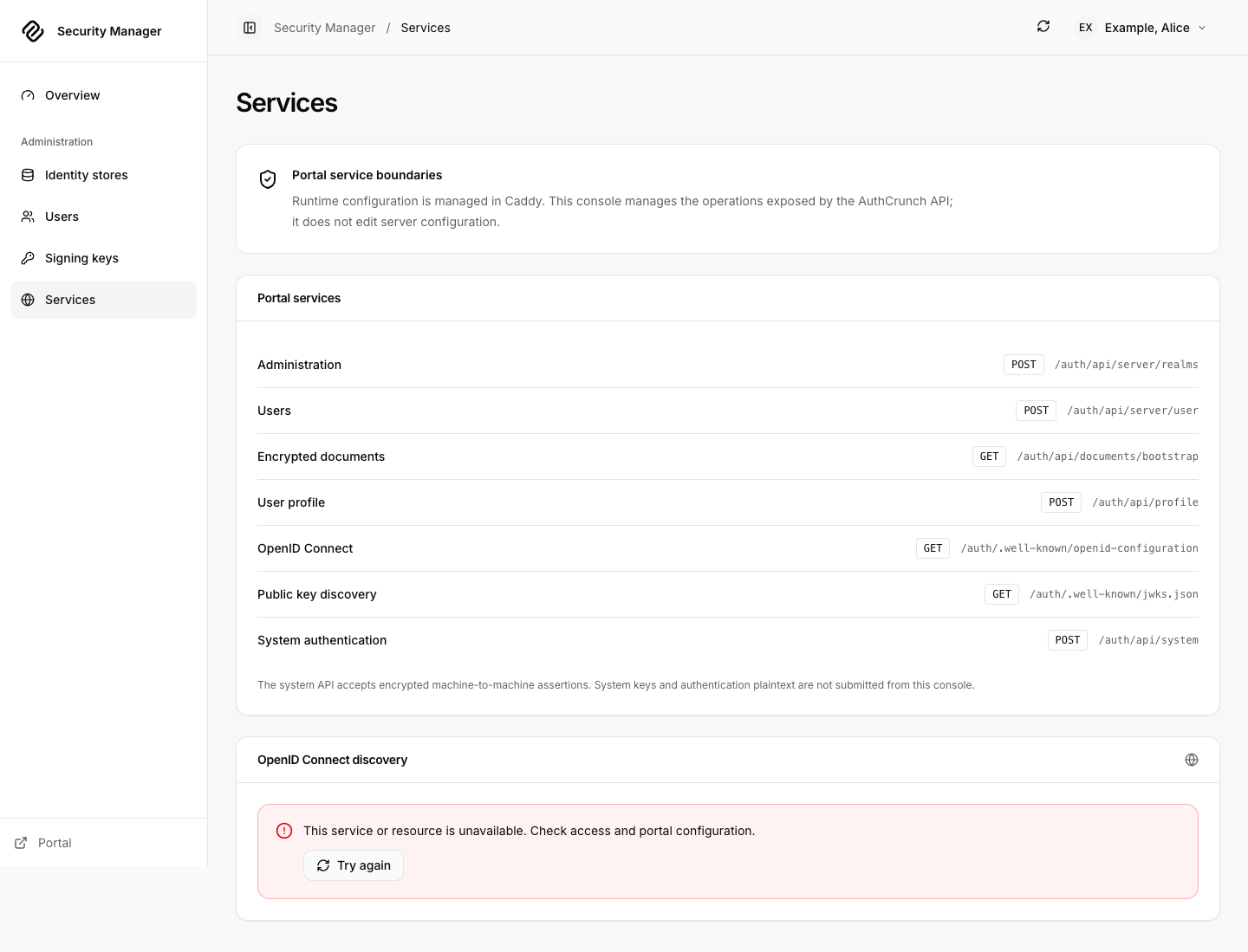
Screenshots were captured from the checksum-verified caddy-security v1.6.2 executable with synthetic local accounts. The setup's role test separately checks that Bob cannot open Security Manager or its protected assets.
Agentic Prompts
Use a prompt to explore this workflow against your deployed release.
Separate management access switches
Primary authorities, before website documentation:
https://github.com/greenpau/caddy-security/blob/main/AGENTS.md
https://github.com/greenpau/caddy-security/tree/main/.codex/skills
https://github.com/greenpau/go-authcrunch/blob/main/AGENTS.md
https://github.com/greenpau/go-authcrunch/tree/main/.codex/skills
Read each root AGENTS.md first, then any scoped AGENTS.md applying to inspected
paths, then the relevant SKILL.md files and their implementation/test references.
Distinguish main, caddy-security v1.6.2 / go-authcrunch v1.5.0, the UI asset
version, and my deployed release. Resolve differences with code/tests. Keep
unverified behavior uncertain. Ask for pasted sources if they are inaccessible.
Use synthetic or redacted inputs; never request tokens or recovery secrets.
Relevant skills to locate: authentication-portal-api; configuration-authentication; operator-implementation.
Secondary context: https://docs.authcrunch.com/docs/apps/security-manager

Trace Admin API enablement, the exact authp/admin role, app shell/asset authorization and independent private-key-export opt-in. Explain the result for an ordinary portal user who types an operator URL directly.
Practice a disposable account lifecycle
Primary authorities, before website documentation:
https://github.com/greenpau/caddy-security/blob/main/AGENTS.md
https://github.com/greenpau/caddy-security/tree/main/.codex/skills
https://github.com/greenpau/go-authcrunch/blob/main/AGENTS.md
https://github.com/greenpau/go-authcrunch/tree/main/.codex/skills
Read each root AGENTS.md first, then any scoped AGENTS.md applying to inspected
paths, then the relevant SKILL.md files and their implementation/test references.
Distinguish main, caddy-security v1.6.2 / go-authcrunch v1.5.0, the UI asset
version, and my deployed release. Resolve differences with code/tests. Keep
unverified behavior uncertain. Ask for pasted sources if they are inaccessible.
Use synthetic or redacted inputs; never request tokens or recovery secrets.
Relevant skills to locate: authentication-portal-api; configuration-authentication; operator-implementation.
Secondary context: https://docs.authcrunch.com/docs/apps/security-manager

Walk through creating DemoReader, handling the generated password privately, adding/replacing roles, saving a password rule, disabling/enabling and deleting. Explain how to verify each result after an uncertain response.
Explain realm reload
Primary authorities, before website documentation:
https://github.com/greenpau/caddy-security/blob/main/AGENTS.md
https://github.com/greenpau/caddy-security/tree/main/.codex/skills
https://github.com/greenpau/go-authcrunch/blob/main/AGENTS.md
https://github.com/greenpau/go-authcrunch/tree/main/.codex/skills
Read each root AGENTS.md first, then any scoped AGENTS.md applying to inspected
paths, then the relevant SKILL.md files and their implementation/test references.
Distinguish main, caddy-security v1.6.2 / go-authcrunch v1.5.0, the UI asset
version, and my deployed release. Resolve differences with code/tests. Keep
unverified behavior uncertain. Ask for pasted sources if they are inaccessible.
Use synthetic or redacted inputs; never request tokens or recovery secrets.
Relevant skills to locate: authentication-portal-api; configuration-authentication; operator-implementation.
Secondary context: https://docs.authcrunch.com/docs/apps/security-manager

Compare Reload realm, refreshing the Users page, restarting Caddy and changing runtime configuration. Trace which data owner each action affects and identify backend-specific read-only or unsupported operations.
Diagnose unavailable signing keys
Primary authorities, before website documentation:
https://github.com/greenpau/caddy-security/blob/main/AGENTS.md
https://github.com/greenpau/caddy-security/tree/main/.codex/skills
https://github.com/greenpau/go-authcrunch/blob/main/AGENTS.md
https://github.com/greenpau/go-authcrunch/tree/main/.codex/skills
Read each root AGENTS.md first, then any scoped AGENTS.md applying to inspected
paths, then the relevant SKILL.md files and their implementation/test references.
Distinguish main, caddy-security v1.6.2 / go-authcrunch v1.5.0, the UI asset
version, and my deployed release. Resolve differences with code/tests. Keep
unverified behavior uncertain. Ask for pasted sources if they are inaccessible.
Use synthetic or redacted inputs; never request tokens or recovery secrets.
Relevant skills to locate: authentication-portal-api; configuration-authentication; operator-implementation.
Secondary context: https://docs.authcrunch.com/docs/apps/security-manager

Analyze a local HMAC-signed portal with no asymmetric public JWK and no OIDC issuer. Explain public-source failures and separately denied private export without claiming the app automatically enables or rotates signing keys.
Review identity consequences
Primary authorities, before website documentation:
https://github.com/greenpau/caddy-security/blob/main/AGENTS.md
https://github.com/greenpau/caddy-security/tree/main/.codex/skills
https://github.com/greenpau/go-authcrunch/blob/main/AGENTS.md
https://github.com/greenpau/go-authcrunch/tree/main/.codex/skills
Read each root AGENTS.md first, then any scoped AGENTS.md applying to inspected
paths, then the relevant SKILL.md files and their implementation/test references.
Distinguish main, caddy-security v1.6.2 / go-authcrunch v1.5.0, the UI asset
version, and my deployed release. Resolve differences with code/tests. Keep
unverified behavior uncertain. Ask for pasted sources if they are inaccessible.
Use synthetic or redacted inputs; never request tokens or recovery secrets.
Relevant skills to locate: authentication-portal-api; configuration-authentication; operator-implementation.
Secondary context: https://docs.authcrunch.com/docs/apps/security-manager

Explain how administrative password, role, rule, disable and delete operations affect current login evidence. Analyze deleting and recreating the same username and why it cannot inherit the previous File Vault owner UUID.
Source Code References
- Search the upstream implementations.
- caddyfile_authn_admin_api.go (caddy-security v1.6.2): Independent Admin API and private export switches.
- handle_api_private_keys.go (go-authcrunch v1.5.0): Private signing-key export enforcement.
- Embedded applications browser tests (go-authcrunch v1.5.0): Bundled app rendering and mount-aware browser checks.