User Profile walkthrough
User Profile is the self-service app at /auth/profile/ when your portal is
mounted at /auth. It ships with caddy-security v1.6.2 / go-authcrunch v1.5.0.
Start with the local application setup, sign in as Alice or
Bob, and choose User Profile on the portal's Applications page.
A portal user or administrator may open the app. Managing credentials requires an eligible local account, an enabled Profile API, and a current browser login session. Signing in through an external provider or holding an access token does not by itself establish local self-service authority. Account mutations can require fresh authentication before further operations.
1. Review the dashboard and account
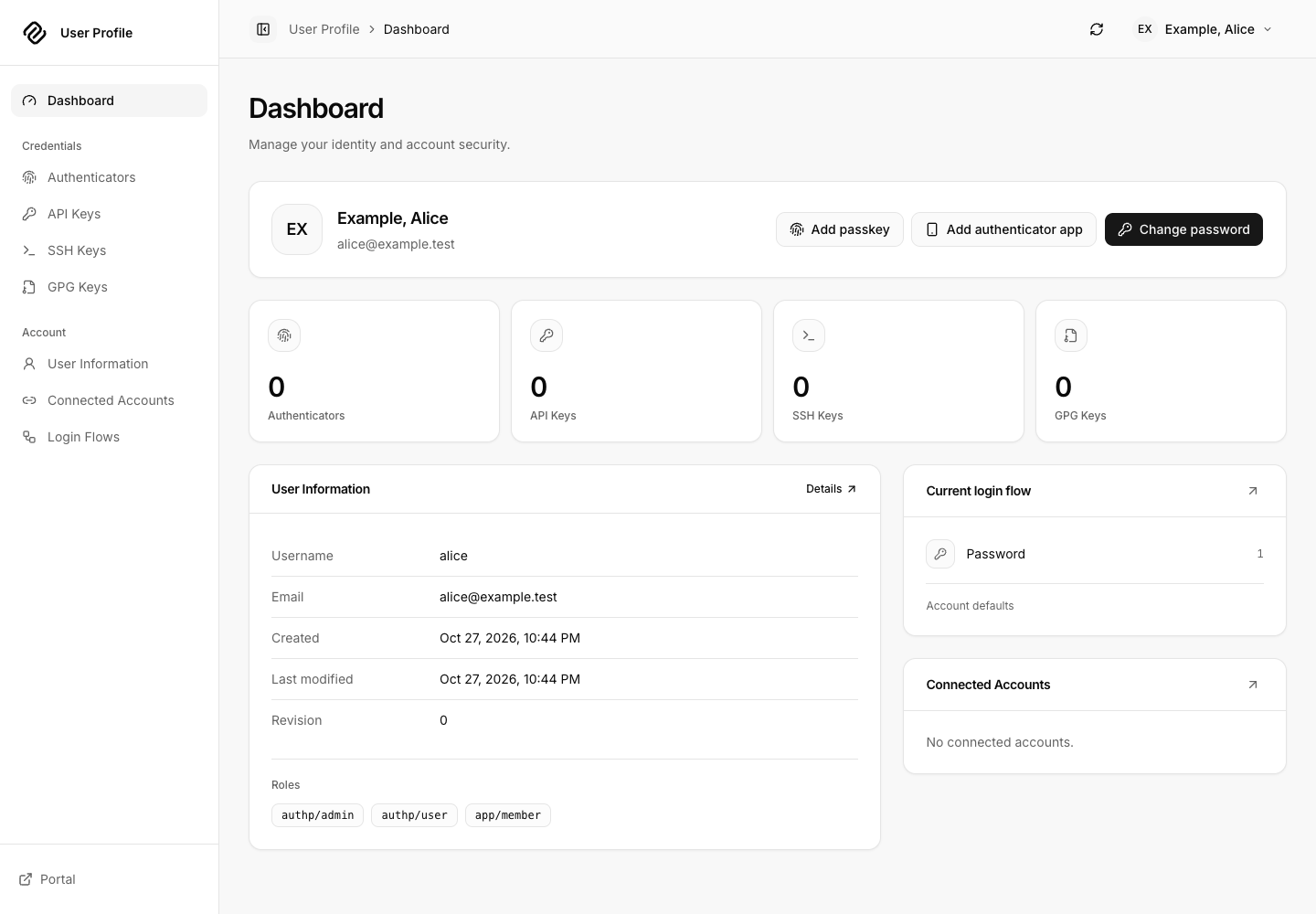
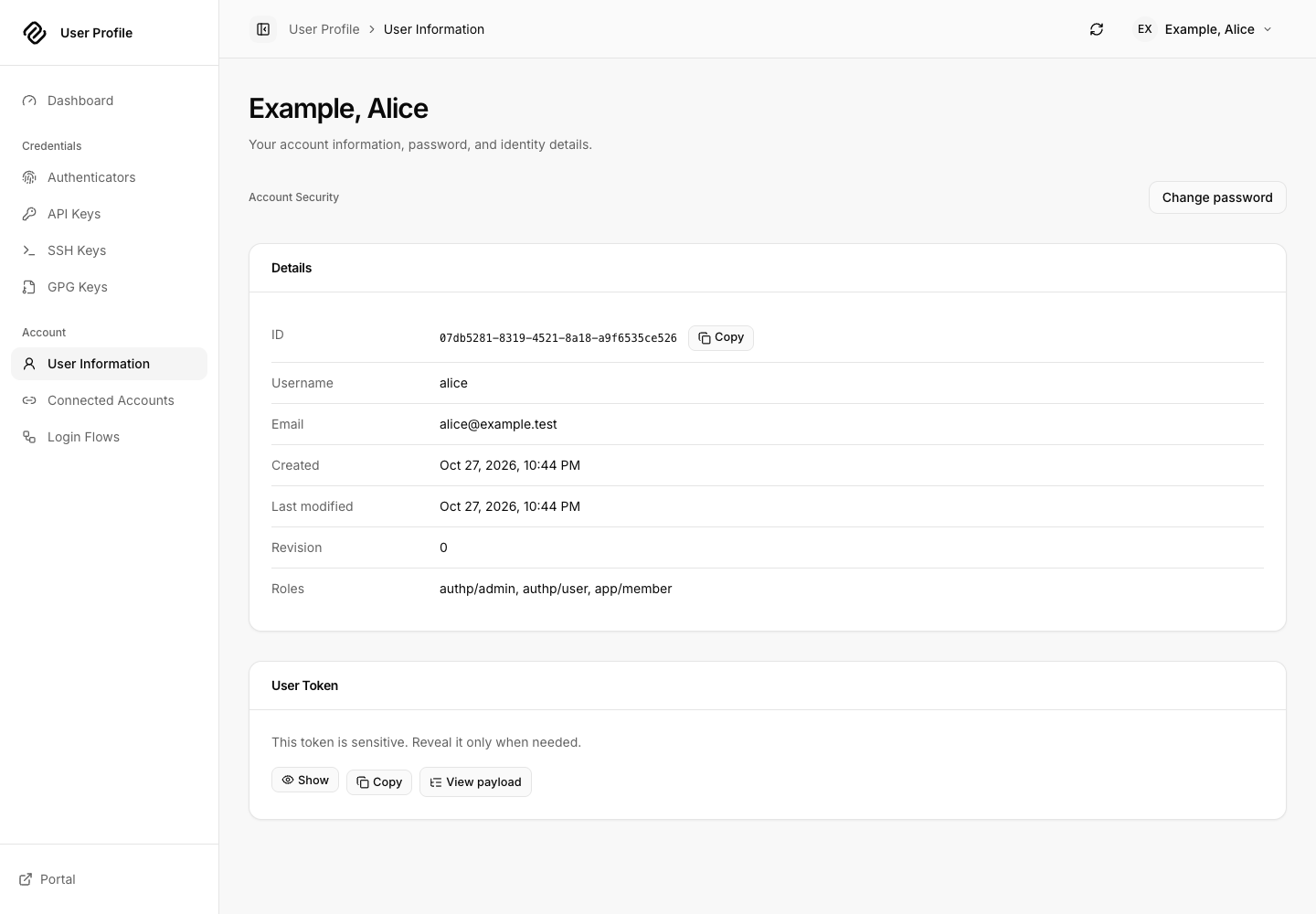
The dashboard shows the verified signed-in identity, credential shortcuts, and a summary of login rules. Choose User Information to inspect the account and current token information. Change password is available from the dashboard and account page for supported local accounts.
To change a password, enter the current password, new password and matching confirmation. Submit Change password, wait for server confirmation, and follow any fresh-login prompt. The new password must satisfy the server's policy. Cancel closes the dialog without submitting the change.
The token's View payload action explains claims such as authentication methods. Token material is sensitive: do not paste it into support tickets, screenshots or public token inspection websites. A decoded claim tree is not an independent check of token validity.
Account information in the released app
2. Add and inspect credentials
Open the appropriate collection from the sidebar or dashboard. Lists support search, sorting, display options and selection where applicable. Open a saved item to inspect its details; use the confirmation dialog when deleting it. Deleting a credential changes server state and can affect applications using it.
| Collection | Creation flow | Expected outcome |
|---|---|---|
| API Keys | Create, enter a title and key content, proceed through the steps, review and create | A named credential appears in API Keys; treat its secret as a password |
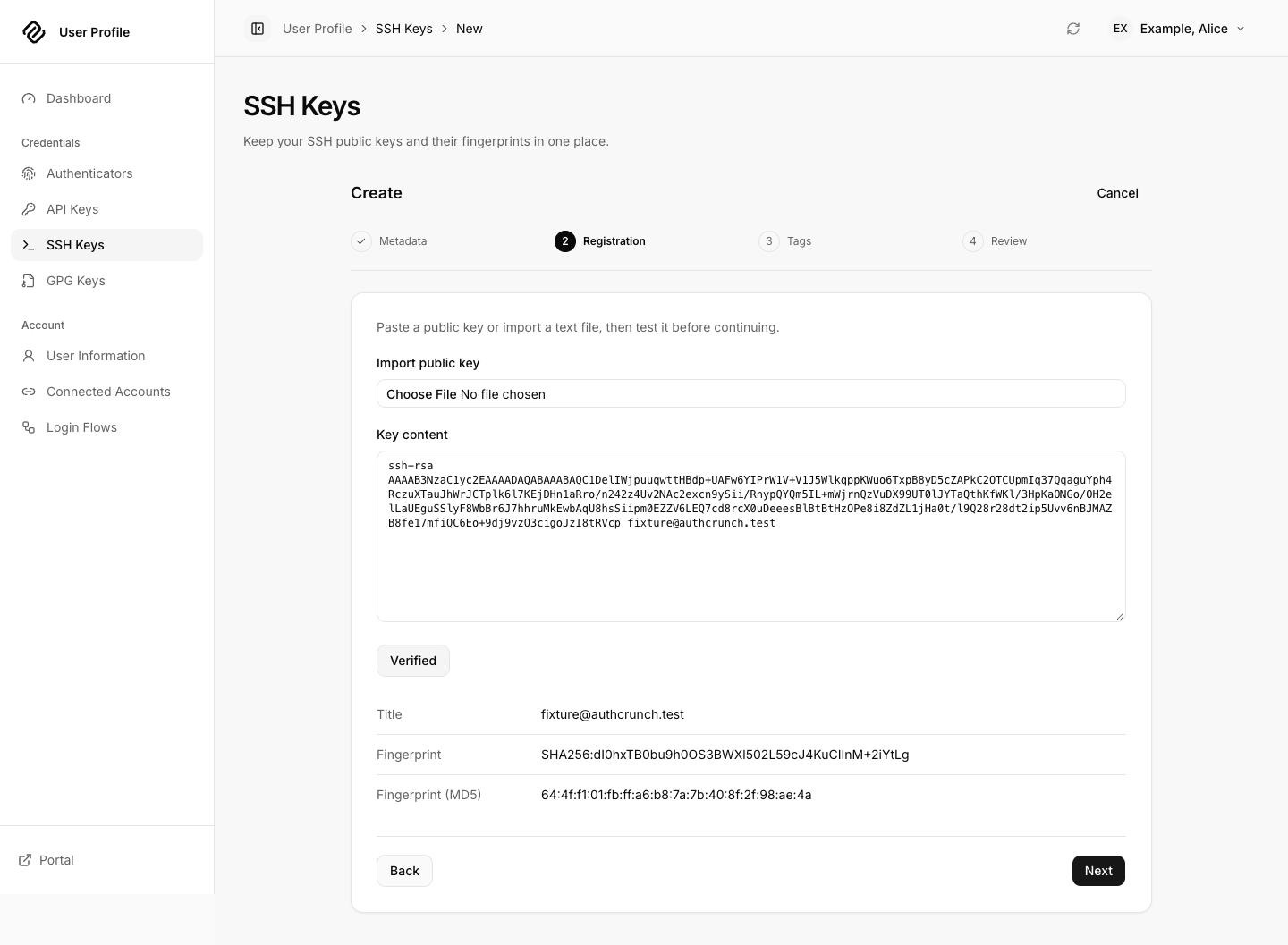
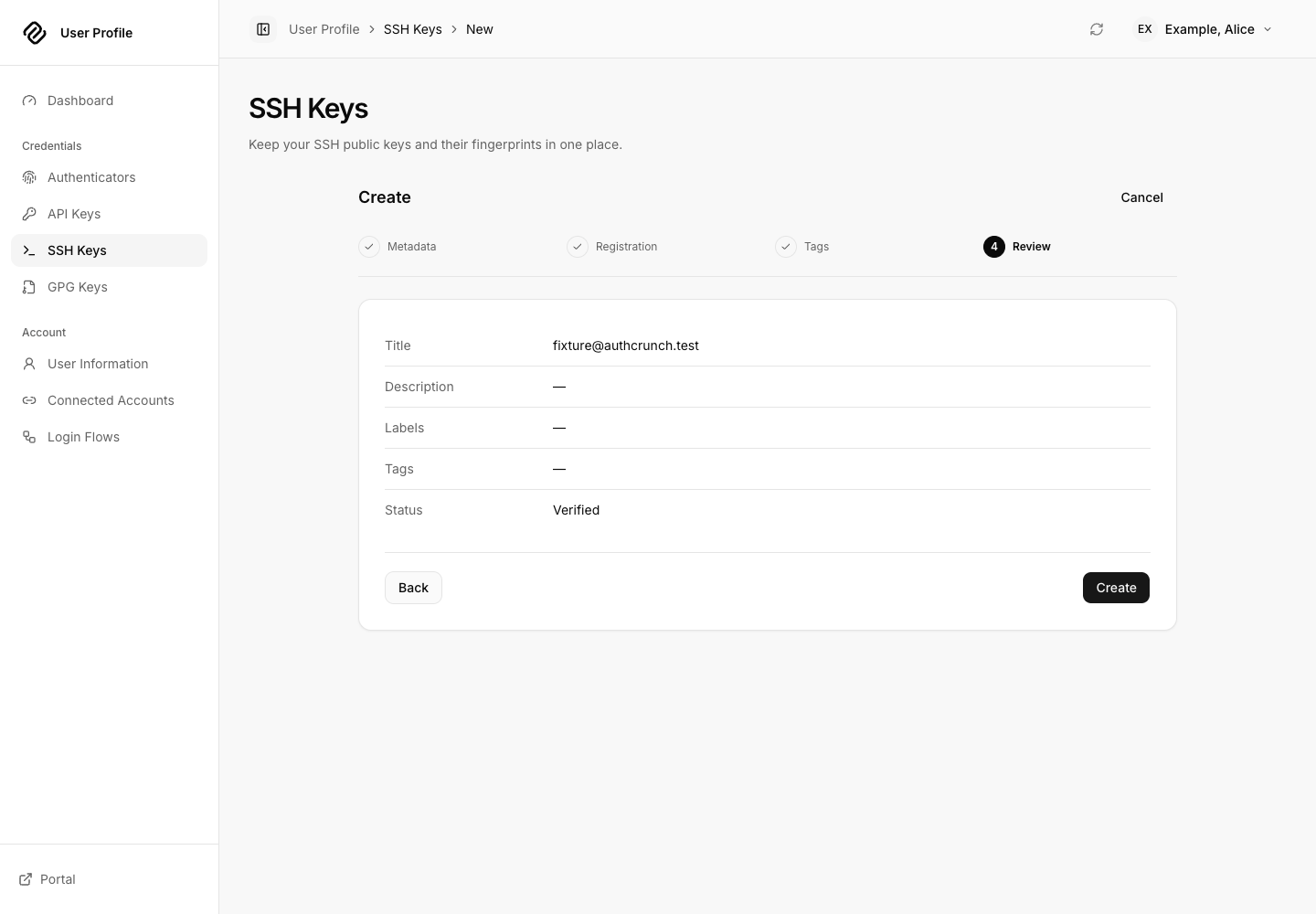
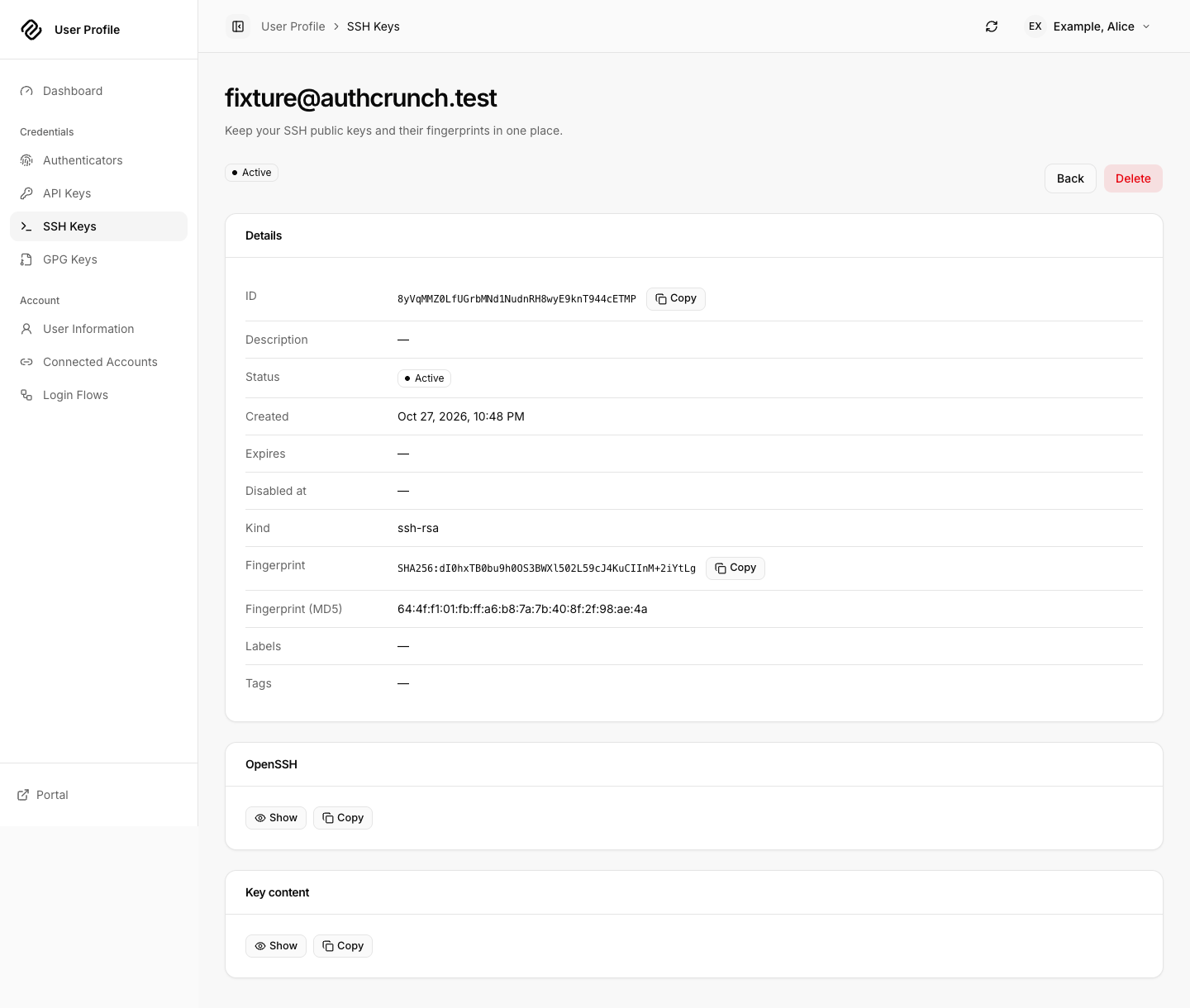
| SSH Keys | Create, enter a title, paste the public key and choose Test, then review and create | The app parses the public key before submission; keep the private key on your device |
| GPG Keys | Create, enter a title, paste the public OpenPGP key and choose Test, then review and create | A verified public-key record appears; do not upload the private key |
| Authenticators | Choose an authenticator app or passkey/security key | Complete the possession-verification steps described below |
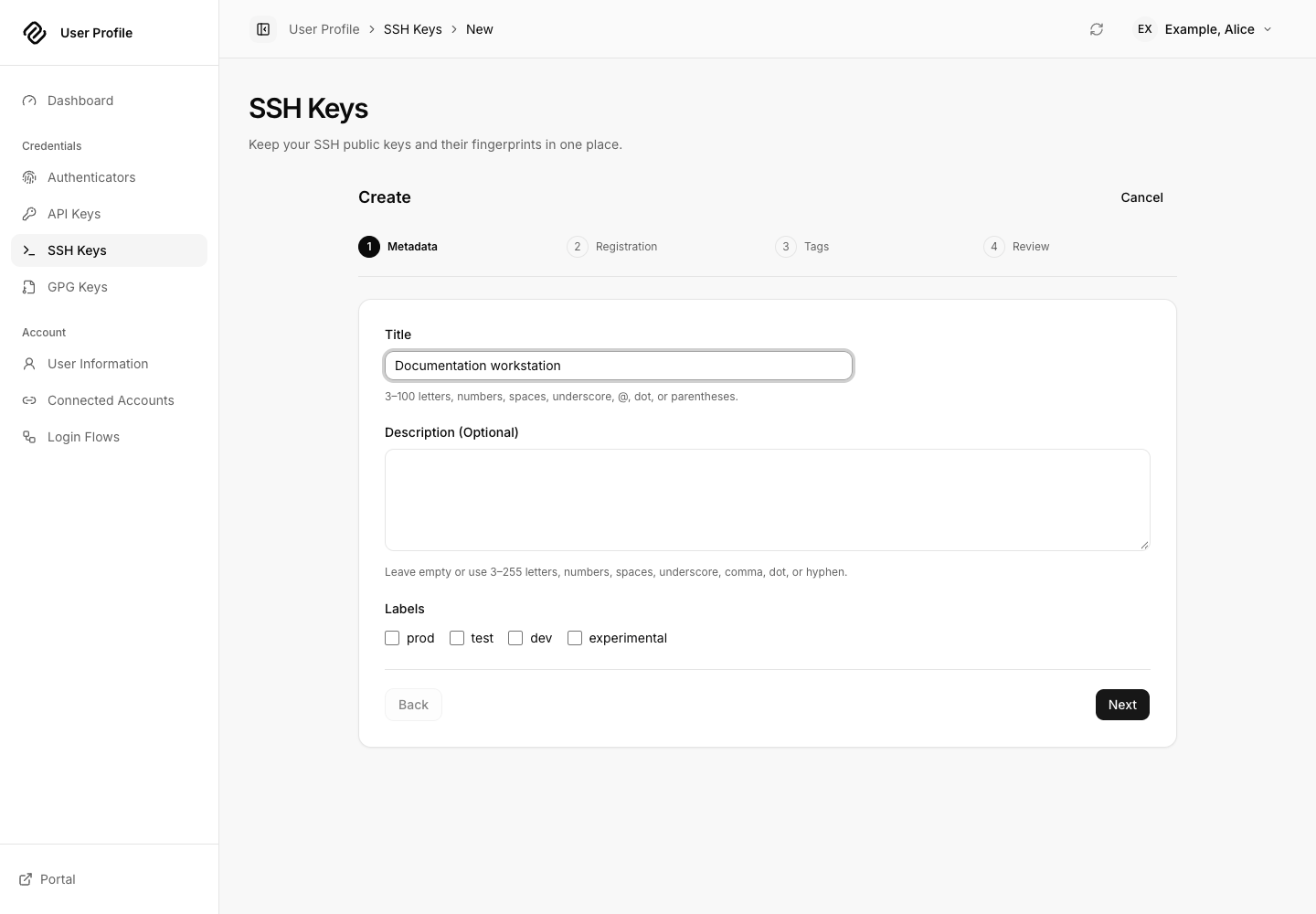
For a first practice run, create a disposable credential, open the saved item, confirm its title and type, then delete it and verify it leaves the collection. Use only public-key material in the SSH/GPG forms. See the Profile API for the server operation boundaries behind these controls.
Public SSH key verification, review and saved detail
3. Enroll an authenticator
For an authenticator app, open Authenticators, start app enrollment and enter its title and setup secret. Continue to the QR code, add it to your authenticator, enter the current code, and choose Verify. Continue through the remaining review/create steps. Verification and saving are separate steps; finish creation before assuming enrollment is complete.
For a passkey or security key, choose the hardware/passkey enrollment flow,
name the credential, select Register passkey or security key, and complete
the browser or operating-system prompt. Use Verify, then finish review and
creation. Available prompts depend on the browser, HTTPS origin and device.
The app's historical route segment is u2f-key; that identifier is not a claim
that every device supports passwordless login.
Sign in again and verify the saved authenticator is listed. Whether the next login requests it depends on effective portal/account rules. Keep another permitted way to sign in while changing authenticators; enrollment itself does not prove that a particular login policy can be satisfied.
4. Review connected accounts and login flows
Connected Accounts lists identity providers associated with the local account. The inventory reflects server-supported account attachment; it is not a general-purpose provider configuration screen. Provider setup and account connection remain portal workflows. See connected local accounts.
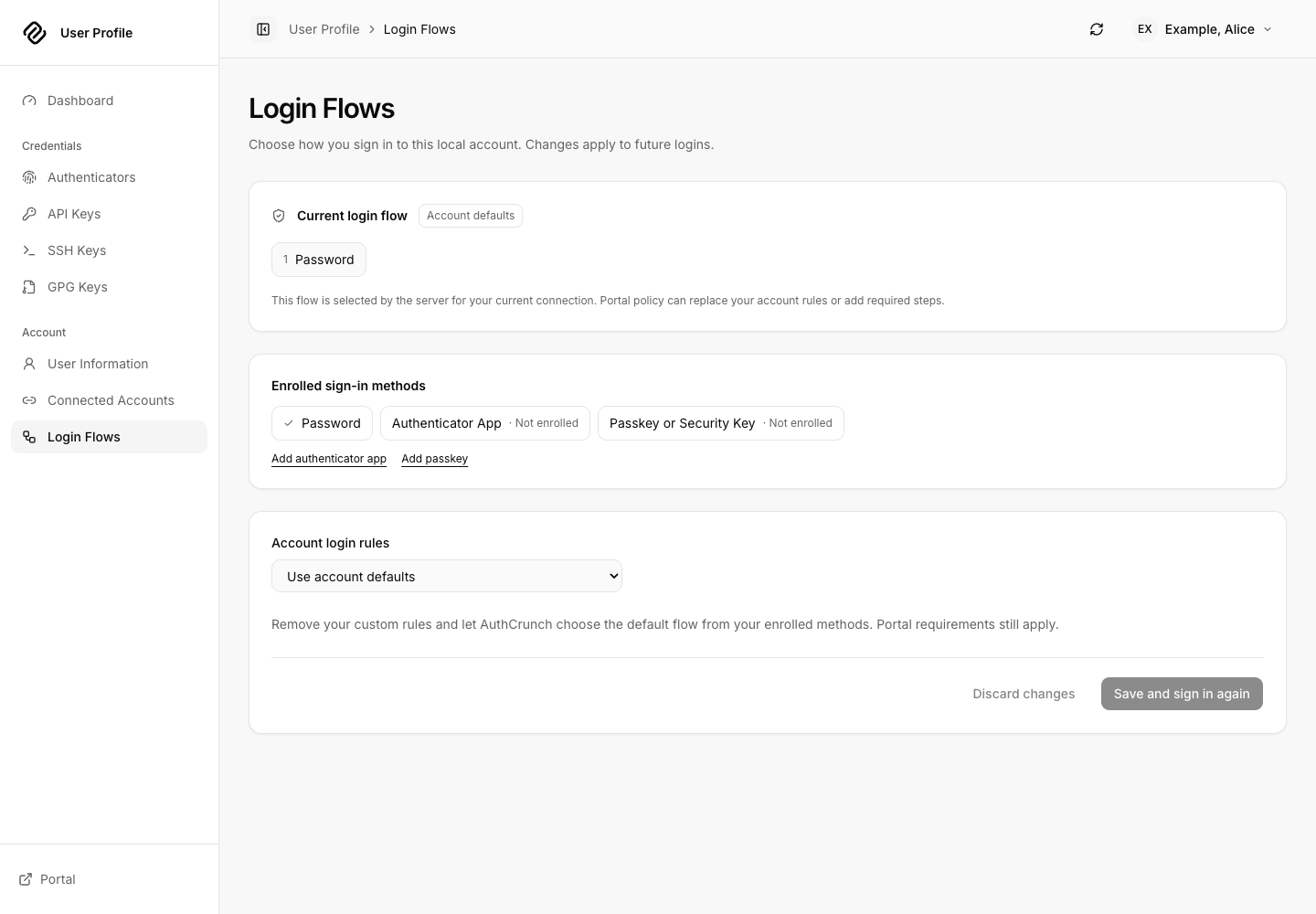
Login Flows shows the effective authentication rules and the account's selection. Choose an offered policy, review its factors, then use Save and sign in again. The app sends you through fresh authentication so the new rules are actually exercised. Administrator and portal policy can constrain which rules you may select; an account preference does not override them. Read-only explanations describe restrictions returned by the server.
5. Preferences, diagnostics and sign out
Use the avatar menu for Preferences and Diagnostics. Language, timezone and light/dark/system appearance are browser preferences. The refresh control reloads the current page's resources; it does not save an unfinished edit. Portal returns to the application chooser, and Sign out ends the portal browser login.
If a credential or password action returns an authentication error after an earlier account change, sign in again before retrying. If the server rejects a key, correct the public-key content or policy problem shown by the form. Do not repeatedly submit a creation request after an uncertain response: first inspect the collection to see whether the server saved it.
Screenshots on this page were captured from the checksum-verified caddy-security v1.6.2 executable using the local setup's synthetic Alice account. The supplied File Vault demo is a separate capture session. Earlier Profile/Settings images elsewhere in the documentation remain historical references.
Agentic Prompts
Use a prompt to explore this workflow against your deployed release.
Explain local self-service authority
Primary authorities, before website documentation:
https://github.com/greenpau/caddy-security/blob/main/AGENTS.md
https://github.com/greenpau/caddy-security/tree/main/.codex/skills
https://github.com/greenpau/go-authcrunch/blob/main/AGENTS.md
https://github.com/greenpau/go-authcrunch/tree/main/.codex/skills
Read each root AGENTS.md first, then any scoped AGENTS.md applying to inspected
paths, then the relevant SKILL.md files and their implementation/test references.
Distinguish main, caddy-security v1.6.2 / go-authcrunch v1.5.0, the UI asset
version, and my deployed release. Resolve differences with code/tests. Keep
unverified behavior uncertain. Ask for pasted sources if they are inaccessible.
Use synthetic or redacted inputs; never request tokens or recovery secrets.
Relevant skills to locate: authentication-portal-profile; authentication-portal-mfa; profile-implementation.
Secondary context: https://docs.authcrunch.com/docs/apps/user-profile

Compare opening the Profile app, inspecting whoami and mutating a local credential. Trace exact-token browser session and canonical identity checks. Explain why an external provider login or native access token alone does not establish all three.
Walk through public-key creation
Primary authorities, before website documentation:
https://github.com/greenpau/caddy-security/blob/main/AGENTS.md
https://github.com/greenpau/caddy-security/tree/main/.codex/skills
https://github.com/greenpau/go-authcrunch/blob/main/AGENTS.md
https://github.com/greenpau/go-authcrunch/tree/main/.codex/skills
Read each root AGENTS.md first, then any scoped AGENTS.md applying to inspected
paths, then the relevant SKILL.md files and their implementation/test references.
Distinguish main, caddy-security v1.6.2 / go-authcrunch v1.5.0, the UI asset
version, and my deployed release. Resolve differences with code/tests. Keep
unverified behavior uncertain. Ask for pasted sources if they are inaccessible.
Use synthetic or redacted inputs; never request tokens or recovery secrets.
Relevant skills to locate: authentication-portal-profile; authentication-portal-mfa; profile-implementation.
Secondary context: https://docs.authcrunch.com/docs/apps/user-profile

Teach back the SSH/GPG creation steps: metadata, key parsing and verification, review, creation, detail and deletion. Identify which input is public and how to check an uncertain creation response without blindly resubmitting.
Explain MFA enrollment versus login policy
Primary authorities, before website documentation:
https://github.com/greenpau/caddy-security/blob/main/AGENTS.md
https://github.com/greenpau/caddy-security/tree/main/.codex/skills
https://github.com/greenpau/go-authcrunch/blob/main/AGENTS.md
https://github.com/greenpau/go-authcrunch/tree/main/.codex/skills
Read each root AGENTS.md first, then any scoped AGENTS.md applying to inspected
paths, then the relevant SKILL.md files and their implementation/test references.
Distinguish main, caddy-security v1.6.2 / go-authcrunch v1.5.0, the UI asset
version, and my deployed release. Resolve differences with code/tests. Keep
unverified behavior uncertain. Ask for pasted sources if they are inaccessible.
Use synthetic or redacted inputs; never request tokens or recovery secrets.
Relevant skills to locate: authentication-portal-profile; authentication-portal-mfa; profile-implementation.
Secondary context: https://docs.authcrunch.com/docs/apps/user-profile

Compare authenticator app and passkey enrollment, possession verification and final persistence. Explain how saved enrollment differs from satisfying the next login challenge and why the browser origin matters.
Analyze an account login-flow change
Primary authorities, before website documentation:
https://github.com/greenpau/caddy-security/blob/main/AGENTS.md
https://github.com/greenpau/caddy-security/tree/main/.codex/skills
https://github.com/greenpau/go-authcrunch/blob/main/AGENTS.md
https://github.com/greenpau/go-authcrunch/tree/main/.codex/skills
Read each root AGENTS.md first, then any scoped AGENTS.md applying to inspected
paths, then the relevant SKILL.md files and their implementation/test references.
Distinguish main, caddy-security v1.6.2 / go-authcrunch v1.5.0, the UI asset
version, and my deployed release. Resolve differences with code/tests. Keep
unverified behavior uncertain. Ask for pasted sources if they are inaccessible.
Use synthetic or redacted inputs; never request tokens or recovery secrets.
Relevant skills to locate: authentication-portal-profile; authentication-portal-mfa; profile-implementation.
Secondary context: https://docs.authcrunch.com/docs/apps/user-profile

Trace the effective portal, administrator and account rules shown by Login Flows. Explain offered choices, read-only restrictions, save-and-reauthenticate behavior and how to test the resulting policy with a disposable user.
Diagnose a stale credential action
Primary authorities, before website documentation:
https://github.com/greenpau/caddy-security/blob/main/AGENTS.md
https://github.com/greenpau/caddy-security/tree/main/.codex/skills
https://github.com/greenpau/go-authcrunch/blob/main/AGENTS.md
https://github.com/greenpau/go-authcrunch/tree/main/.codex/skills
Read each root AGENTS.md first, then any scoped AGENTS.md applying to inspected
paths, then the relevant SKILL.md files and their implementation/test references.
Distinguish main, caddy-security v1.6.2 / go-authcrunch v1.5.0, the UI asset
version, and my deployed release. Resolve differences with code/tests. Keep
unverified behavior uncertain. Ask for pasted sources if they are inaccessible.
Use synthetic or redacted inputs; never request tokens or recovery secrets.
Relevant skills to locate: authentication-portal-profile; authentication-portal-mfa; profile-implementation.
Secondary context: https://docs.authcrunch.com/docs/apps/user-profile

Investigate a Profile action rejected after password or MFA changes. Trace credential generation, cached browser proof and fresh-login navigation. Separate permission, malformed key and temporary request errors without exposing tokens.
Source Code References
- Search the upstream implementations.
- handle_api_profile.go (go-authcrunch v1.5.0): Operation dispatch and current-account authority.
- profile_identity.go (v1.5.0): Canonical local identity-bound operations.
- Embedded applications browser tests (go-authcrunch v1.5.0): Bundled app rendering and mount-aware browser checks.