Cross-device browser login
The library feature is released in go-authcrunch v1.3.11 and included in the caddy-security v1.4.0 source tag. The downloadable v1.3.0 bundle does not accept these directives. At the October 5 check, v1.4.0 binary assets are not yet published; use a matching source build and check availability.
Cross-device login lets a browser request approval from another browser. It is useful when entering credentials on the requesting device is inconvenient. The approving browser completes ordinary login and explicitly approves the displayed account and matching code. The requesting browser receives its own session.
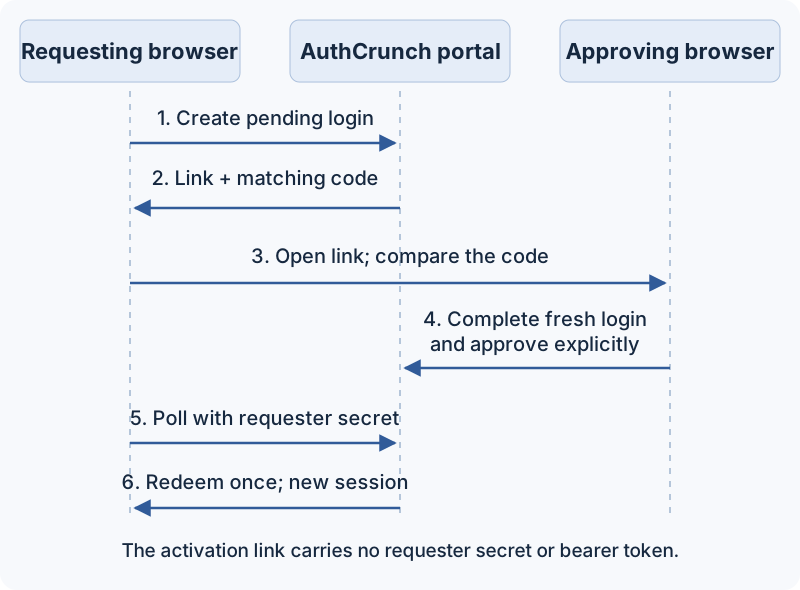
Enable cross-device login
Add this directive to an otherwise working portal in a compatible build:
authentication portal myportal {
    enable identity store localdb
    enable cross-device login
}
Omission disables the feature, including its routes and login links. Explicit
opt-out uses disable cross-device login. Both are statements, not nested blocks.
Built-in templates display the option; a custom login template must add its own
opt-in link to the flow.
Approve another browser
For a portal mounted at /auth/:
- Open
/auth/cross-deviceon the requesting device. It displays a QR/link and a short matching code. - Open that link on the approving device. Confirm that the matching code agrees with the request you initiated and that you recognize the requesting device.
- Start and complete a fresh portal login, including required password/MFA or the configured OAuth/SAML flow.
- Review the account and code, then choose approve or deny explicitly.
- The requester polls serially and, after successful single-use redemption, receives independent credential cookies and continues to the portal.
What each browser shows
These screens were captured from caddy-security v1.4.0 source with go-authcrunch v1.3.11, using two isolated browsers and a disposable local account. The example uses password login; your configured MFA or external provider adds its normal steps. The codes shown belong to this completed test interaction, not a code to enter into your portal.
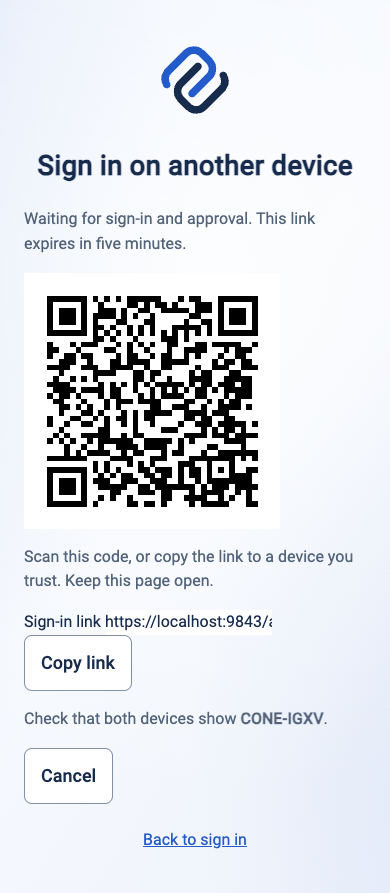
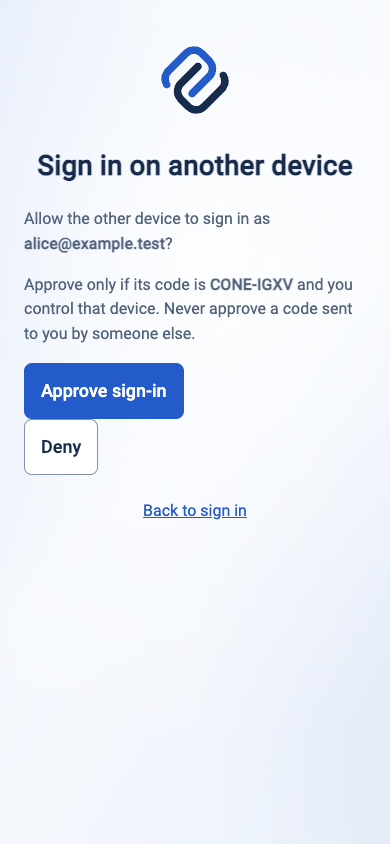
Follow the complete two-browser walkthrough
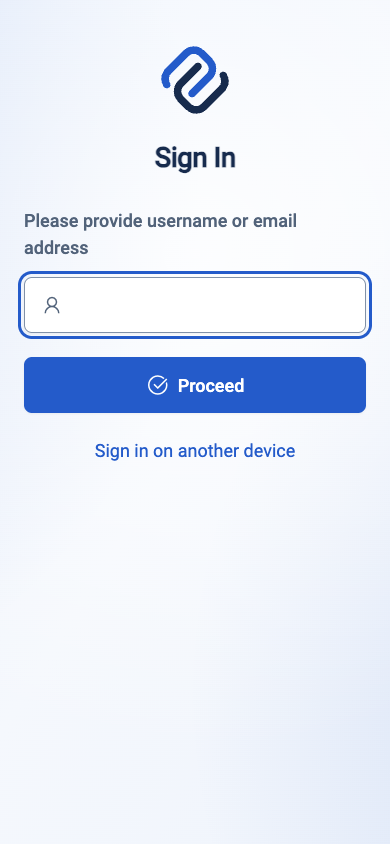

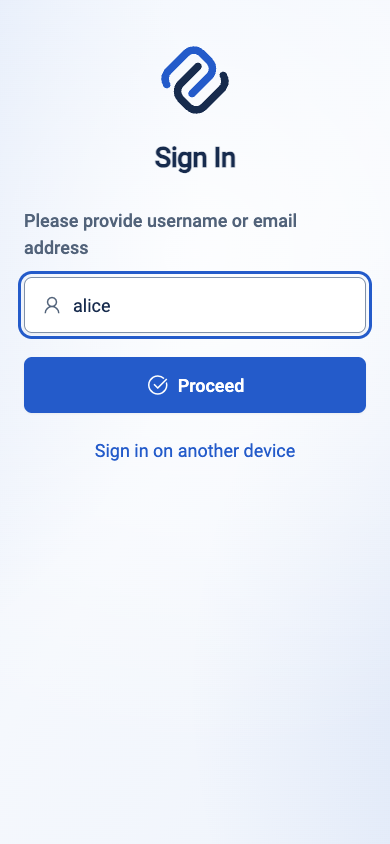
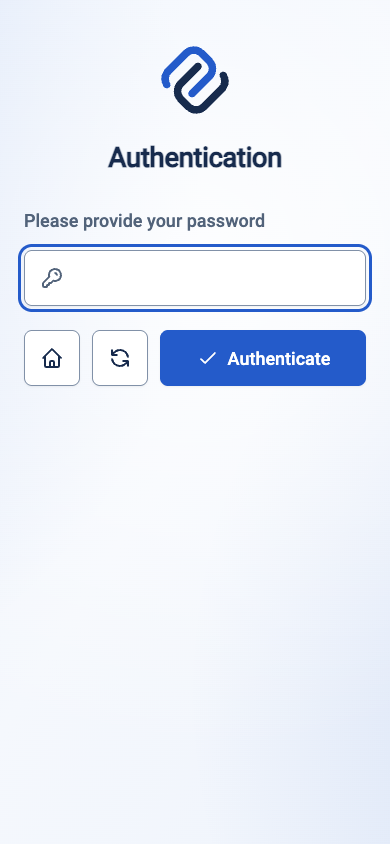
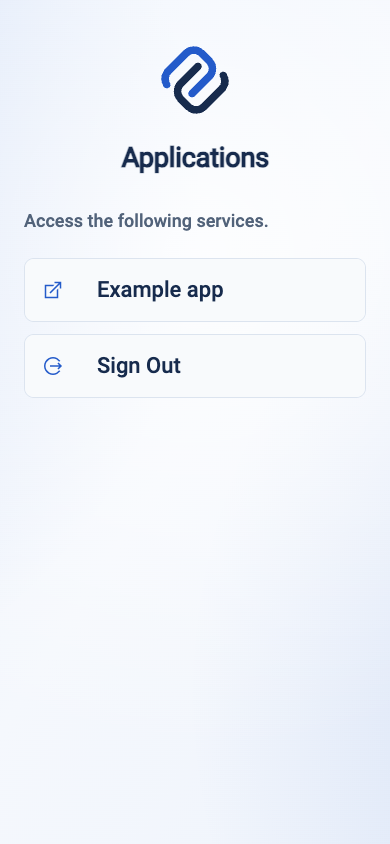
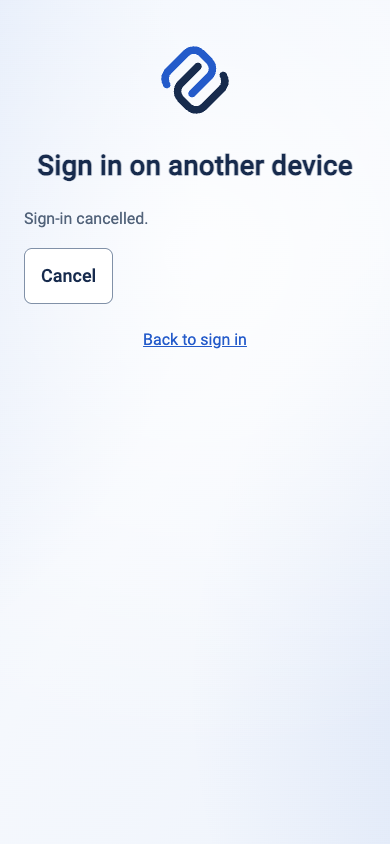
The QR/link contains an activation code, not the requester secret or bearer tokens. A link alone cannot authenticate either browser. Do not approve an unsolicited request just because its link points to your legitimate portal. An existing JWT, API-key/Basic request or JSON login cannot replace the required fresh HTML completion.
This is a browser approval flow, not an RFC 8628 device authorization endpoint.
The older /qrcode/login.png merely points at ordinary portal navigation and
does not enable cross-device approval.


A pending approval and a completed requester session have different lifetimes. The v1.4.0 source flow requires fresh HTML login and explicit approval before single-use redemption. Cancellation, denial, expiry, restart, or invalidated approval ends the unfinished interaction. Once redemption completes, the requester owns an independent session; ending the approving session cannot undo that completed transfer.
Session and failure behavior
Requests expire after five minutes. The client polls every two seconds and stops on cancellation, denial, expiry, navigation or uncertain network failure. Reloading starts a new interaction. Redemption is single-use; a lost redeemed response requires a new request, not a retry that issues another credential.
The approving account's current local identity and challenge policy are checked again at redemption. Provider identities rerun their portal transforms for the requesting device. Upstream ID/refresh tokens are not copied. A transfer does not add upstream account introspection beyond the provider's existing contract.
When configured, refresh and OIDC create independent sessions on the requester. Logging out or revoking the approving session/family invalidates outstanding approvals, but cannot undo a transfer already completed. Test stronger challenge policies and account changes as well as a happy path.
Deployment checks
Use HTTPS and the exact portal origin/mount. POSTs require a matching Origin, compatible Fetch Metadata, and a bounded URL-encoded form. The temporary approving-browser cookie is Secure, HttpOnly, host-only, mount-scoped and SameSite=None to accommodate signed SAML POST callbacks. It relies on explicit origin, browser binding and approval checks.
Pending requests remain in memory even with persistent state. Restart discards them. Fixed limits are 1024 active requests total and eight per trusted source address. Confirm trusted proxy normalization, both browser paths, denial/cancellation, logout invalidation, and narrow mobile layout before offering cross-device login to users.
Implementation references: library v1.3.11, Caddy integration commit.
Agentic Prompts
Copy a prompt into your LLM to explore this topic. Each prompt prioritizes upstream repository guidance and code over this page, and asks for version-aware reasoning.
Understand two independent browsers
Help me understand Cross-device browser login.

Primary authorities (take precedence over website documentation):
https://github.com/greenpau/caddy-security/blob/main/AGENTS.md
https://github.com/greenpau/caddy-security/tree/main/.codex/skills
https://github.com/greenpau/go-authcrunch/blob/main/AGENTS.md
https://github.com/greenpau/go-authcrunch/tree/main/.codex/skills
Read each repository's root AGENTS.md first, then any scoped AGENTS.md that
applies to inspected paths. Read the relevant SKILL.md files and follow their
implementation and test references.

Relevant skills to locate: configuration-authentication-cross-device,
authentication-portal-cross-device.

Secondary reference:
https://docs.authcrunch.com/docs/authenticate/cross-device

If a source is inaccessible, ask me to paste its relevant text. Identify the
versions your answer applies to; main may be newer than my release. Resolve
disagreements using code and tests, and flag unverified claims. Use synthetic
credentials and redacted examples; explain proposed checks before any changes.

Draw the requester and approver flow, including QR/link, matching code, fresh
HTML login, explicit approve/deny, polling, and single-use redemption. Explain
what the link does not contain and why this is not RFC 8628 device
authorization. Check binary availability first.
Reason about approval consent
Help me understand Cross-device browser login.

Primary authorities (take precedence over website documentation):
https://github.com/greenpau/caddy-security/blob/main/AGENTS.md
https://github.com/greenpau/caddy-security/tree/main/.codex/skills
https://github.com/greenpau/go-authcrunch/blob/main/AGENTS.md
https://github.com/greenpau/go-authcrunch/tree/main/.codex/skills
Read each repository's root AGENTS.md first, then any scoped AGENTS.md that
applies to inspected paths. Read the relevant SKILL.md files and follow their
implementation and test references.

Relevant skills to locate: configuration-authentication-cross-device,
authentication-portal-cross-device.

Secondary reference:
https://docs.authcrunch.com/docs/authenticate/cross-device

If a source is inaccessible, ask me to paste its relevant text. Identify the
versions your answer applies to; main may be newer than my release. Resolve
disagreements using code and tests, and flag unverified claims. Use synthetic
credentials and redacted examples; explain proposed checks before any changes.

Explain why an existing JWT, JSON login, Basic request, or API key cannot
replace the fresh approving-browser completion. Use an unsolicited-request
scenario to discuss account/code confirmation. Distinguish legitimate portal
origin from evidence that I intended this device request.
Diagnose a stopped transfer
Help me understand Cross-device browser login.

Primary authorities (take precedence over website documentation):
https://github.com/greenpau/caddy-security/blob/main/AGENTS.md
https://github.com/greenpau/caddy-security/tree/main/.codex/skills
https://github.com/greenpau/go-authcrunch/blob/main/AGENTS.md
https://github.com/greenpau/go-authcrunch/tree/main/.codex/skills
Read each repository's root AGENTS.md first, then any scoped AGENTS.md that
applies to inspected paths. Read the relevant SKILL.md files and follow their
implementation and test references.

Relevant skills to locate: configuration-authentication-cross-device,
authentication-portal-cross-device.

Secondary reference:
https://docs.authcrunch.com/docs/authenticate/cross-device

If a source is inaccessible, ask me to paste its relevant text. Identify the
versions your answer applies to; main may be newer than my release. Resolve
disagreements using code and tests, and flag unverified claims. Use synthetic
credentials and redacted examples; explain proposed checks before any changes.

Help me classify denial, cancellation, expiry, incorrect origin/mount,
restart, and uncertain network failure. Ask for redacted state/status only.
Explain when a new interaction is required and why a lost redeemed response
must not be retried to issue another credential.
Test independent sessions
Help me understand Cross-device browser login.

Primary authorities (take precedence over website documentation):
https://github.com/greenpau/caddy-security/blob/main/AGENTS.md
https://github.com/greenpau/caddy-security/tree/main/.codex/skills
https://github.com/greenpau/go-authcrunch/blob/main/AGENTS.md
https://github.com/greenpau/go-authcrunch/tree/main/.codex/skills
Read each repository's root AGENTS.md first, then any scoped AGENTS.md that
applies to inspected paths. Read the relevant SKILL.md files and follow their
implementation and test references.

Relevant skills to locate: configuration-authentication-cross-device,
authentication-portal-cross-device.

Secondary reference:
https://docs.authcrunch.com/docs/authenticate/cross-device

If a source is inaccessible, ask me to paste its relevant text. Identify the
versions your answer applies to; main may be newer than my release. Resolve
disagreements using code and tests, and flag unverified claims. Use synthetic
credentials and redacted examples; explain proposed checks before any changes.

Design cases for local policy change before redemption, provider transform
reapplication, approving-session logout, and requester refresh/OIDC
independence. Explain what invalidates outstanding approvals and what cannot
undo a completed transfer. Include replay and capacity cases.
Review the deployment boundary
Help me understand Cross-device browser login.

Primary authorities (take precedence over website documentation):
https://github.com/greenpau/caddy-security/blob/main/AGENTS.md
https://github.com/greenpau/caddy-security/tree/main/.codex/skills
https://github.com/greenpau/go-authcrunch/blob/main/AGENTS.md
https://github.com/greenpau/go-authcrunch/tree/main/.codex/skills
Read each repository's root AGENTS.md first, then any scoped AGENTS.md that
applies to inspected paths. Read the relevant SKILL.md files and follow their
implementation and test references.

Relevant skills to locate: configuration-authentication-cross-device,
authentication-portal-cross-device.

Secondary reference:
https://docs.authcrunch.com/docs/authenticate/cross-device

If a source is inaccessible, ask me to paste its relevant text. Identify the
versions your answer applies to; main may be newer than my release. Resolve
disagreements using code and tests, and flag unverified claims. Use synthetic
credentials and redacted examples; explain proposed checks before any changes.

Review a redacted compatible portal for opt-in syntax, custom-template link,
HTTPS, trusted source-address normalization, fixed binding cookie, and both
mobile/browser paths. Explain what stays volatile with persistence, then quiz
me about a QR link seen by an unintended person.
Source Code References
Start with the code search, then follow the parser, runtime, and tests relevant
to this topic. These links target main; use GitHub's branch/tag selector to
compare them with your installed release.
- Search this topic in both repositories — searches topic-specific symbols and paths across both codebases.
- caddy-security: caddyfile_authn_misc.go — parses portal options, selections, and trusted redirect rules.
- caddy-security: caddyfile_authn_cross_device_test.go — tests opt-in cross-device configuration and cookie-name adaptation.
- go-authcrunch: pkg/authn/cross_device_config.go — defines opt-in cross-device login configuration.
- go-authcrunch: pkg/authn/cross_device_http.go — handles requester, approver, polling, and redemption requests.
- go-authcrunch: pkg/authn/cross_device_store.go — maintains bounded pending approvals and single-use transfer state.
- go-authcrunch: pkg/authn/cross_device_e2e_test.go — tests approval, denial, authentication evidence, and independent requester sessions.