Secure Deployment of Application with Azure Container Instances and Caddy

This updated deployment note preserves the original Azure Container Instances (ACI) walkthrough images and replaces its unsafe configuration assumptions. The AuthCrunch reference targets Caddy Security v1.3.0 / go-authcrunch v1.3.8; Azure account, image, networking, TLS and storage still require environment verification. No current ACI deployment was executed for this revision.
Table of Contents
- Azure Configuration
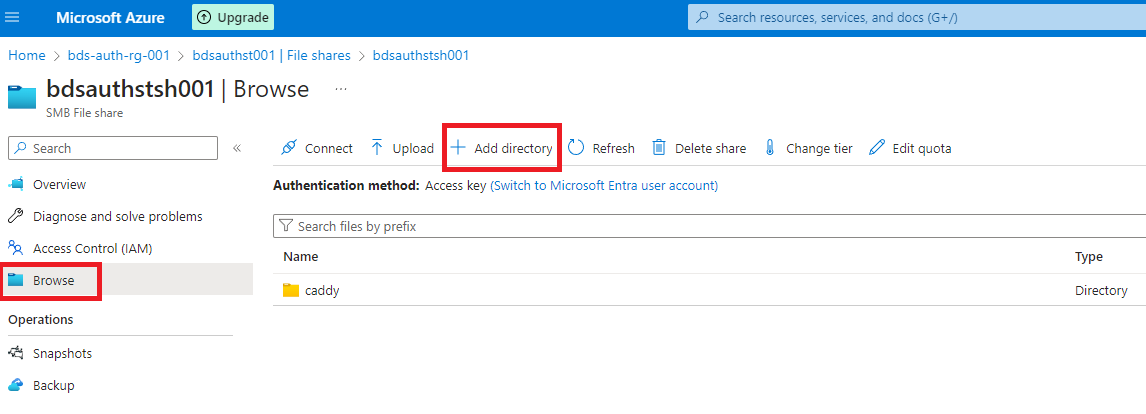
- Add Azure File Share
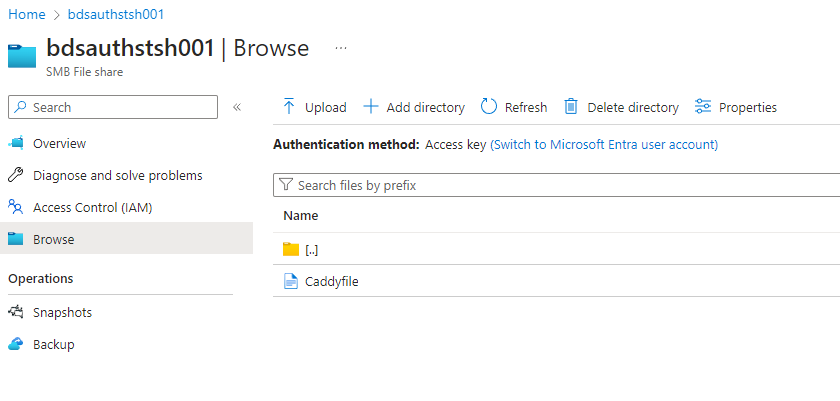
- Copy Files to Azure File Share
- Container Deployment
- Accessing Container
- Troubleshooting
- Conclusion
Azure Configuration
Choose the public HTTPS hostname, identity source and intended application
members before creating a container. The reference below uses Entra OIDC and
requires App.Access to grant app/member; it does not publish local-user
passwords or grant every signed-in user access to the file server.
Use the Entra setup guide
for the app registration, callback and roles. Set AUTHCRUNCH_PUBLIC_HOST,
ENTRA_TENANT_ID, ENTRA_CLIENT_ID, ENTRA_CLIENT_SECRET and a private
JWT_SHARED_KEY. The callback is
https://<public-host>/auth/oauth2/azure. Host/tenant expand when adapting the
Caddyfile; the credential/signing values resolve during provisioning.
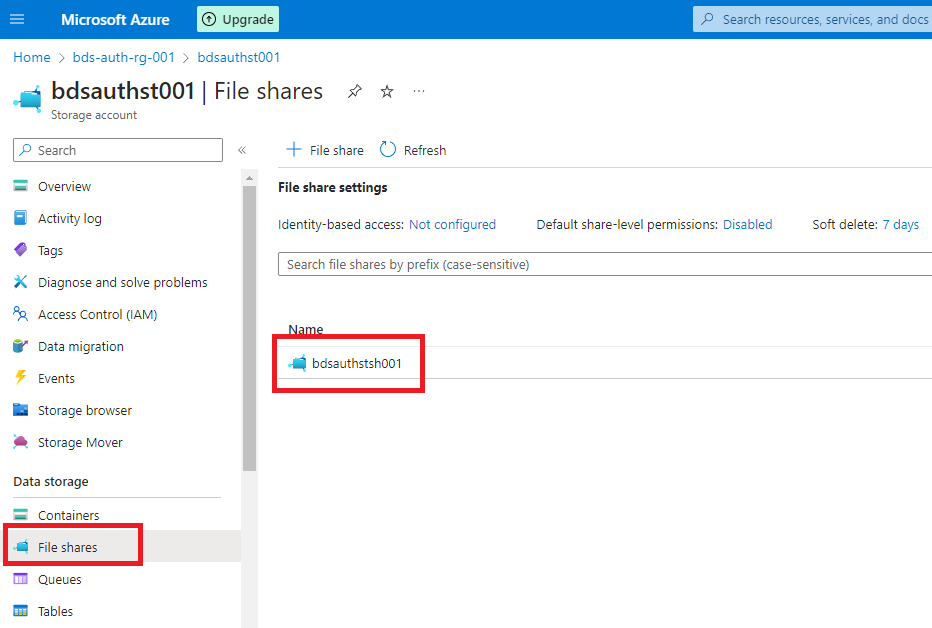
Add Azure File Share
ACI is ephemeral without external storage. Its Azure Files mounting guide describes SMB/CIFS mounting and Linux/root/access-key prerequisites. A mounted share does not automatically satisfy AuthCrunch's private filesystem, locking and single-owner requirements for persistent runtime state.
Separate the files by purpose:
| Container path | Purpose | Public HTTP exposure |
|---|---|---|
/etc/authcrunch/Caddyfile | Private service configuration | Never served |
/srv/public | Deliberately published application content | Only after app authorization |
| Caddy storage | TLS/account material | Never served |
| AuthCrunch state/local user data, if configured | Private identity/session material | Never served; verify supported storage separately |
Do not make a browsable file-server root out of the whole volume containing configuration, user databases or TLS keys. Avoid putting local users or the private state backend on a shared/network filesystem as an unverified shortcut. This reference uses an external identity provider and does not enable persistent AuthCrunch sessions. Replacement loses cached portal sessions; a still-valid access JWT can remain accepted by an app policy with unchanged signing trust. Plan those outcomes separately.
Copy Files to Azure File Share
Upload only the intended public files to the content mount and place the
Caddyfile in its private configuration location. The reference strips /app
before serving /srv/public, does not enable directory browsing, and runs
authorize before file_server.
# Configuration reference only; Azure image, TLS and storage must be verified.
# Set the public portal hostname and ENTRA_TENANT_ID before use.
{
	admin off
	persist_config off

	security {
		oauth identity provider azure {
			driver azure
			realm azure
			client_id {env.ENTRA_CLIENT_ID}
			client_secret {env.ENTRA_CLIENT_SECRET}
			scopes openid email profile
			tenant_id {$ENTRA_TENANT_ID}
			email claim check disabled
			login icon text "Microsoft Entra ID"
		}

		authentication portal myportal {
			enable identity provider azure
			crypto default token lifetime 900
			crypto key sign-verify {env.JWT_SHARED_KEY}
			cookie path /

			ui {
				links {
					"Example app" /app/ icon "las la-external-link-alt"
					"My identity" /auth/whoami icon "las la-user"
				}
			}

			# Reserve portal roles and app/member for the transforms below.
			transform user {
				regex match role "^(authp/.*|app/member)$"
				action drop matched role
			}

			transform user {
				match realm azure
				action add role authp/user
			}

			transform user {
				match realm azure
				match role App.Access
				action add role app/member
			}
		}

		authorization policy apppolicy {
			set auth url https://{$AUTHCRUNCH_PUBLIC_HOST}/auth/
			crypto key verify {env.JWT_SHARED_KEY}
			allow roles app/member
		}
	}
}

{$AUTHCRUNCH_PUBLIC_HOST} {
	route {
		redir /auth /auth/ 308

		authenticate /auth/* with myportal

		@app path /app /app/*
		route @app {
			authorize with apppolicy
			uri strip_prefix /app
			root * /srv/public
			file_server
		}

		respond "AuthCrunch is running. Open /app to begin." 200
	}
}
Provide a suitable index/content file. Keep upload permissions separate from read access and prevent untrusted users from creating links to private storage.
Container Deployment
Use an image pinned to a verified version/digest with the security module,
instead of assuming latest matches the documented bundle. Inspect its actual
entrypoint and binary name; published bundle executables use authcrunch,
while an older/custom image may use caddy.
Before deployment, run the image's executable with version, security version
and list-modules, then adapt the configuration with the required synthetic
environment values. Validate with real private values in your controlled
environment and test the actual provider/network boundary.
Use Azure's current container deployment and volume procedure for the selected image, ports, mounts and container group. Supply private credentials through the deployment's protected secret mechanism. Do not echo storage access keys or paste fixed signing secrets into a public command/example.
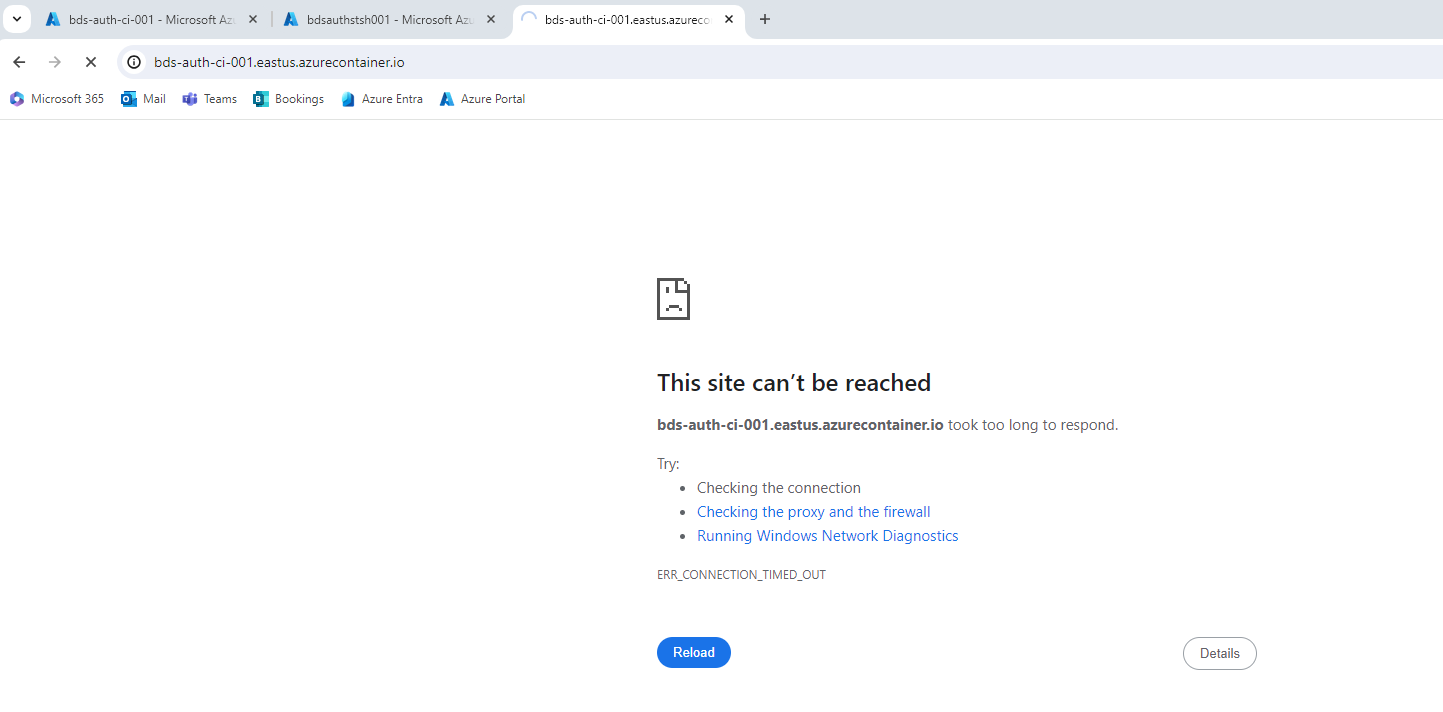
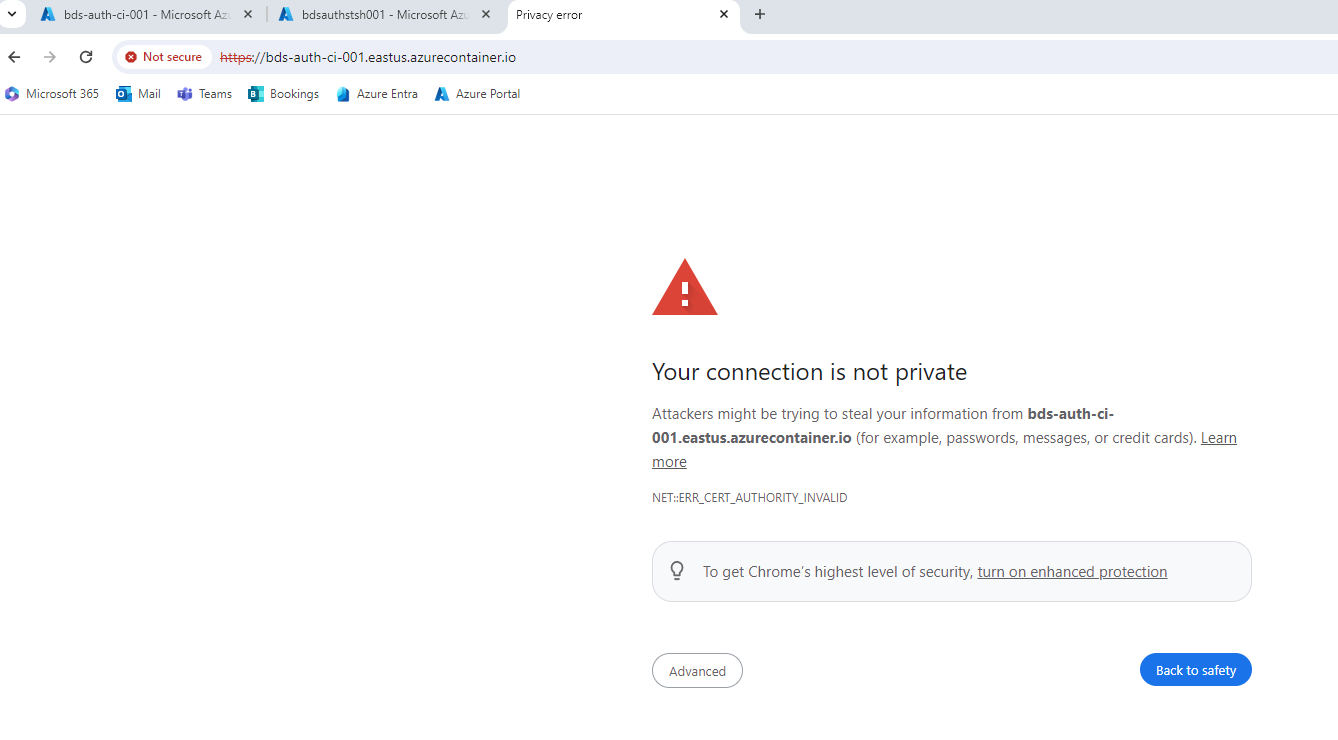
Keep 443 reachable under the configured hostname and choose a valid public TLS certificate strategy. Caddy's certificate storage lifecycle must match restart and replacement behavior. The old internal-CA/on-demand example is not a publicly trusted certificate deployment strategy.
Accessing Container
Open /app/ in a fresh browser. Verify the provider login, then test an Entra
App.Access member and a signed-in nonmember. The member reaches the intended
content; the nonmember must receive 403. Request private paths such as a
Caddyfile/user database directly and confirm they are never served.
Use a valid certificate chain. A public browser certificate warning is a TLS
configuration failure to fix, not an instruction to click through. Check a
fresh /app/ request after logout. Replacing the container should have the
explicit session/key outcome you chose, rather than an accidental loss of trust.
Troubleshooting
Inspect the current container without publishing its private environment:
az container logs --resource-group "${ACI_RG_NAME}" --name "${ACI_CONTAINER_NAME}"
az container show --resource-group "${ACI_RG_NAME}" --name "${ACI_CONTAINER_NAME}"
| Failure | Check |
|---|---|
| Container cannot run | Image architecture, actual command/entrypoint, mounted file visibility and startup error |
| HTTPS fails | Public DNS/port 443, certificate issuance/reachability, time and private Caddy storage |
| Callback fails | Public hostname, /auth/oauth2/azure, configured tenant/client and provider metadata reachability |
| Nonmember reaches content | Entra role mapping, reserved-role clearing and authorization before the file server |
| Private data is downloadable | Wrong root/mount or public routing; isolate private directories before exposing the service |
| Restart invalidates sessions | Intended in-memory lifetime versus a separately verified durable state design |
Conclusion
The useful ACI pattern is explicit container configuration with an identity provider, a controlled application role and a private/public storage boundary. The original screenshots below remain as historical illustrations, not a recipe to reuse old credentials, bypass TLS or browse the entire storage share. For a locally verified starting point, use the learning path.
Historical ACI walkthrough
Open the remaining seven historical Azure screenshots